Choosing between DeepL and Google Translate is straightforward when translating a short message. For businesses managing confidential documents, multilingual websites, technical manuals, or thousands of product descriptions, the decision becomes considerably more complex.
Translation quality matters, but so do terminology consistency, document compatibility, API integration, data security, and long-term operating costs.
Another important distinction is that DeepL Translator, DeepL Pro, DeepL API, Google Translate, and Google Cloud Translation are not interchangeable products. Each serves different users and offers different levels of functionality and control.
This comparison examines their business capabilities, verified product limitations, pricing structures, and practical selection criteria. It also explains how organizations can evaluate translation quality without relying on unsupported claims that one engine is universally better.
Product information last verified: November 17, 2026.
DeepL vs Google Translate: Quick Comparison
DeepL and Google Translate can both support business translation, but the better option depends on language pairs, document types, terminology requirements, security policies, and integration needs. DeepL Pro is worth evaluating for professional document workflows, while DeepL API and Google Cloud Translation provide options for automated translation. Google’s consumer translator is convenient for occasional use, but it should not be confused with Google Cloud’s business-oriented APIs.
| Comparison factor | DeepL | |
|---|---|---|
| Consumer translation | DeepL Translator | Google Translate |
| Paid professional workflow | DeepL Pro | Cloud-based or separately integrated workflow |
| Translation API | DeepL API | Google Cloud Translation |
| Language coverage | Depends on model, language, and feature | Broad coverage, varying by model and feature |
| Translation quality | Must be tested by language pair and domain | Must be tested under equivalent conditions |
| Document translation | Supported formats and limits vary by plan | Consumer and Cloud document workflows differ |
| Terminology control | Glossaries and plan-dependent features | Cloud Translation Advanced glossaries |
| Data protection | Free and paid products have different terms | Consumer and Cloud services have different policies |
| Pricing | Subscriptions and API plans | Consumer access and metered Cloud APIs |
Neither platform should be selected solely because a few example sentences sound more natural.
For enterprise buyers, the relevant question is which product delivers acceptable quality within the organization’s technical, financial, and security requirements.
What Products Are Actually Being Compared?
A fair DeepL vs Google Translate comparison starts by identifying the products involved.
Consumer Translators vs Paid Business Tools
DeepL Translator and Google Translate offer accessible interfaces for translating text and supported documents. They can help employees understand information in unfamiliar languages without building an integration.
DeepL Pro adds paid professional capabilities, including higher usage allowances and plan-dependent document, glossary, and organizational features.
Google does not offer a directly equivalent consumer subscription matching every DeepL Pro feature. Instead, its principal programmatic business translation offering is Google Cloud Translation.
DeepL API vs Google Cloud Translation
Both providers offer APIs for integrating translation into applications, websites, content-management systems, and business processes.
Google Cloud Translation has Basic and Advanced editions. Advanced provides additional capabilities such as batch translation, document processing, glossaries, and customization.
DeepL maintains separate API subscriptions. Its current new-purchase tiers are Developer, Growth, and Enterprise API. The older API Free and API Pro plans are legacy offerings and are no longer available to new subscribers.
Importantly, a DeepL API subscription does not automatically include access to the paid DeepL Translator application.
DeepL Overview: Translator, Pro, and API
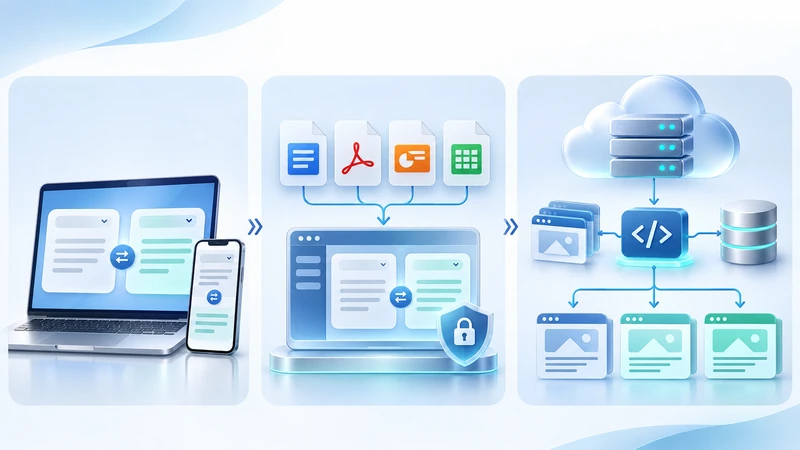
DeepL offers translation services for individuals, professional users, developers, and organizations.
DeepL Translator and DeepL Pro
DeepL Translator supports text translation through web and application interfaces. Document translation is also available, subject to file restrictions and account entitlements.
DeepL Pro provides paid options for professional translation work.
Its Individual, Team, Business, and Enterprise offerings have different allowances and management capabilities. Depending on the subscription, businesses can use glossaries, translate larger files, manage team access, and access additional translation workflow features.
This can make DeepL Pro a practical candidate for teams regularly translating proposals, presentations, internal reports, and other business documents.
DeepL API for Business Integration
DeepL API enables developers to incorporate translation into external systems using authenticated requests.
Common applications include automated product translation, multilingual content pipelines, technical documentation, and translation-management-system integrations.
Its current API plans provide different usage allowances and organizational controls. Businesses should evaluate the actual plan and model available to them rather than assuming every DeepL API subscription provides identical functionality.
Google Translate vs Google Cloud Translation
Google offers two distinct approaches to translation: consumer-facing Google Translate and the developer-oriented Google Cloud Translation platform.
Google Translate for Everyday Use
Google Translate provides convenient translation through its website and mobile applications.
It supports text translation, document uploads through the supported desktop web interface, and other consumer translation features.
For occasional, lower-risk communication, these capabilities may be sufficient.
However, the consumer interface is not a substitute for an enterprise translation architecture requiring governed API access, centralized terminology resources, and contractual data-processing controls.
Google Cloud Translation for Developers and Enterprises
Google Cloud Translation provides APIs through Google Cloud projects.
Cloud Translation Basic supports programmatic translation, while Advanced offers additional features including formatted document translation, glossary resources, batch workflows, and supported customization.
Advanced also provides access to multiple translation approaches, including Google’s neural machine translation and supported specialized models.
Organizations can integrate these services with existing applications and manage access through Google Cloud authentication and permissions.
The choice between Basic and Advanced should reflect the features required, not simply the perceived quality of the Google Translate consumer interface.
Supported Languages and Regional Variants
Language coverage is an important factor in enterprise translation, particularly for businesses serving diverse international markets.
Google Cloud Translation publishes extensive language support lists. DeepL also maintains official language coverage information, with availability varying across translation models and features.
However, the number of advertised languages is not the same as the number of fully supported business workflows.
A language available for standard text translation may have different support for glossaries, document processing, regional variants, or customized models.
For example, businesses may need to distinguish Brazilian Portuguese from European Portuguese, Canadian French from French used in France, or different Chinese writing systems.
Before selecting an engine, confirm:
- The required source and target language directions.
- Regional language or script support.
- Availability of glossaries and relevant model features.
- Document and API support for those languages.
- Suitability for industry-specific terminology.
Businesses working with less common language pairs should pay particular attention to practical translation quality rather than language availability alone.
Current support should be checked against the official DeepL language documentation and Google Cloud language lists.
DeepL vs Google Translate Accuracy: Which Is Better?
Translation accuracy is often the main concern when comparing DeepL and Google Translate.
However, there is no defensible universal winner across all languages, industries, and content types.
A translation that reads naturally may still contain factual errors. Conversely, a less elegant translation may preserve essential technical information more accurately.
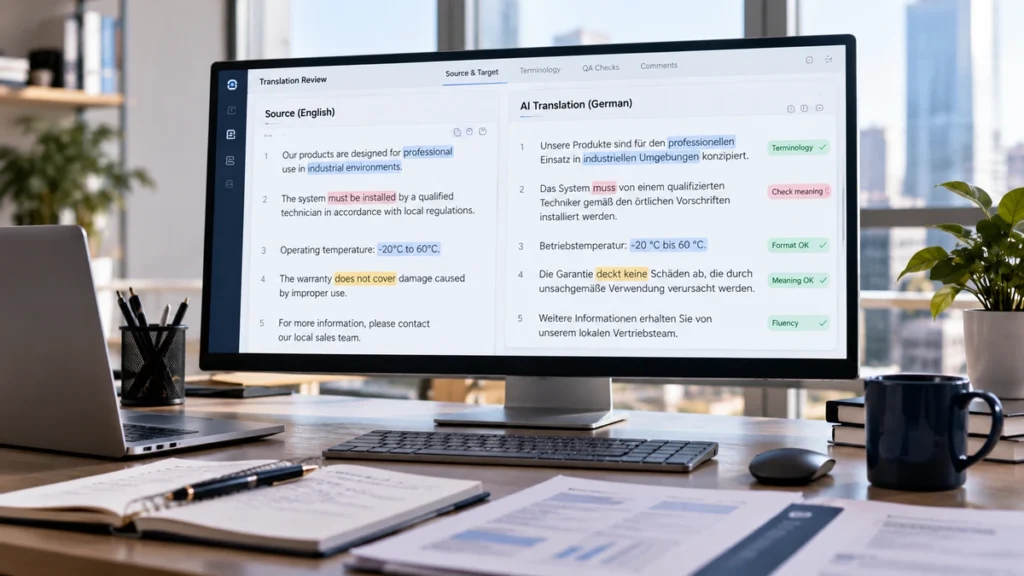
Accuracy, Fluency, and Completeness
Businesses should evaluate several dimensions separately.
Accuracy measures whether the translation preserves the source meaning. Errors involving numbers, specifications, conditions, or contractual obligations may be particularly serious.
Fluency considers grammar, readability, and natural expression in the target language.
Completeness evaluates whether information has been omitted or introduced without justification.
Terminology consistency checks whether approved industry, product, and organizational terms are translated correctly throughout the content.
These dimensions can produce different results for the same translation.
Why Language Pair and Content Type Matter
Translation performance can vary depending on the source language, target language, domain, and available context.
Consider three business scenarios:
A marketing team translating promotional copy needs natural language, appropriate tone, and persuasive messaging.
An engineering team translating equipment instructions needs precise technical terminology and accurate relationships between components.
A legal department translating an agreement needs careful treatment of obligations, exceptions, and defined terms.
The engine producing the most fluent marketing sentence may not produce the most reliable technical or contractual translation.
What Independent Research Shows
The WMT 2026 General Machine Translation Shared Task evaluated translation systems across multiple language pairs and content domains using human assessments.
Its evaluation design reinforces the importance of examining translation quality across realistic contexts rather than relying on isolated examples.
However, research involving selected model versions and test sets cannot establish a permanent ranking of every current DeepL and Google product.
Textsprime has not conducted an original head-to-head benchmark for this article. Any purchasing decision should therefore rely on a representative pilot using the specific products under consideration.
For more detail, see our guide to AI translation accuracy and business quality testing.
Document Translation: Word, PDF, PowerPoint, and Excel
Document translation is especially important for organizations managing contracts, presentations, reports, and technical files.
Both ecosystems support common document formats, but their limitations differ substantially.
Supported File Formats
| Product | Word / DOCX | PowerPoint / PPTX | Excel / XLSX | |
|---|---|---|---|---|
| DeepL account without paid subscription | Supported | Supported | Supported | Not available |
| DeepL Pro | Supported | Supported | Supported | Supported on applicable plans |
| DeepL API | Supported | Supported | Supported | Supported |
| Google Translate desktop web | Supported | Supported | Supported | Supported |
| Google Cloud Translation Basic | Requires a separate document-processing workflow | Requires a separate workflow | Requires a separate workflow | Requires a separate workflow |
| Google Cloud Translation Advanced | Supported | Supported | Supported | Supported |
DeepL’s published file limits vary by subscription. For example, its Pro Individual plan allows files up to 30 MB for Word, PowerPoint, and PDF, while supported XLSX files have a 20 MB limit. Character limits also apply.
Google Translate’s consumer document interface supports files up to 10 MB and PDFs of no more than 300 pages.
Google Cloud Advanced’s online document translation generally supports files up to 20 MB, with additional PDF-specific page restrictions.
PDF and OCR Limitations
PDF translation deserves particular attention because PDFs may contain selectable text, scanned images, embedded fonts, complex tables, or graphical elements.
Google Translate’s consumer document workflow does not translate text contained in scanned PDF images.
Google Cloud Advanced supports scanned PDF translation under specific conditions, but formatting may be lost. Its online API permits up to 300 pages for native PDFs when the relevant setting is used, compared with a 20-page limit for scanned PDFs.
Complex layouts may require additional processing regardless of the translation engine.
Spreadsheets and Formatting
Excel files introduce additional risks because translated workbooks may contain formulas, hidden sheets, charts, and structured references.
DeepL’s documentation warns that formulas are not applied in translated Excel files; formula results are displayed instead.
Organizations should therefore validate spreadsheet functionality before using translated files operationally.
For important business files, translation quality and document usability must be checked separately.
See DeepL’s file-format documentation and Google Cloud’s document translation documentation.
Terminology and Glossary Support
Consistent terminology is essential for businesses translating product names, software interfaces, technical documentation, and customer-facing information.
Both DeepL and Google Cloud Translation provide glossary capabilities, although supported workflows and restrictions differ.
DeepL Glossaries
DeepL supports custom terminology through its glossary functionality.
Businesses can specify preferred translations for product names, technical terms, and recurring expressions. Available glossary limits and sharing capabilities depend on the subscription.
DeepL API also supports glossary-based translation workflows.
Google Cloud Translation Glossaries
Google Cloud Translation Advanced allows users to create glossary resources and reference them in translation requests.
It supports structured terminology mapping, including unidirectional language-pair glossaries and equivalent term sets.
However, glossary behavior depends on language support, matching rules, and model configuration. Some entries may not be applied as expected.
Neither service eliminates the need for terminology quality assurance.
For enterprise translation, an approved glossary should be maintained, version-controlled, and tested across representative source materials.
DeepL API vs Google Cloud Translation: Integration
For developers and localization teams, API suitability can be more important than the consumer translation experience.
Both providers support programmatic translation, but they differ in their available controls and service architecture.
Authentication and Developer Workflows
DeepL API uses API-key authentication and provides endpoints for supported translation operations.
Google Cloud Translation is integrated with Google Cloud projects, authentication mechanisms, and service permissions.
Developers should evaluate SDK availability, request handling, logging, error responses, and credential management.
Batch Translation and Enterprise Integration
Common business integrations include:
- WordPress and other content-management systems.
- Translation management systems and CAT tools.
- Product information management platforms.
- Software localization pipelines.
- Customer support and knowledge-base systems.
Google Cloud Advanced provides dedicated batch translation capabilities. DeepL supports document translation and can be incorporated into automated processing workflows.
However, API availability does not mean a complete CMS or TMS integration is included. Custom development or third-party software may be required.
Monitoring and Operational Controls
Production systems should include usage monitoring, request validation, retry logic, cost controls, and quality checks.
Developers should also confirm how the selected API handles structured content, HTML tags, placeholders, and non-translatable strings.
For enterprise adoption, integration reliability should be tested alongside linguistic quality.
Data Privacy and Security: DeepL vs Google
Data handling is one of the most consequential differences between consumer translation tools and enterprise translation services.
A business should not assume that every version of DeepL or Google Translate offers identical privacy protections.
DeepL Free vs Paid Services
According to DeepL’s privacy policy, content submitted through its free services may be processed for a limited period to train and improve its systems.
DeepL’s published free-service terms also restrict the submission of personal data.
Applicable paid DeepL Pro services provide different commitments, including provisions stating that submitted translation content is not used to improve the service.
Businesses should review the exact subscription, contractual terms, and available data-processing agreement before uploading sensitive information.
Google Translate vs Google Cloud Translation
Google Translate’s consumer service should not be treated as having the same contractual protections as Google Cloud Translation.
Google states in its Cloud Translation data usage FAQ that content submitted to the Cloud Translation API is not used to train or improve Google’s translation features.
Its documentation also describes temporary in-memory processing for API text requests.
However, enterprise integrations may involve stored glossary resources, Cloud Storage, application logs, and other infrastructure components with their own access and retention settings.
Encryption, Access Control, and Data Location
Security evaluation should cover more than model training.
Organizations should review encryption, identity management, user permissions, logging, retention, deletion, subprocessors, and contractual responsibilities.
Google Cloud Advanced offers configurable regionalized endpoints under applicable conditions, but global endpoints do not guarantee that processing remains within a specified region.
DeepL’s relevant enterprise agreements and processing arrangements must likewise be evaluated against the customer’s requirements.
A vendor’s general security statement does not automatically establish compliance for every deployment.
For confidential or regulated documents, the appropriate approval should involve both information-security and legal or compliance stakeholders.
DeepL vs Google Translate Pricing
Pricing structures differ because the products serve different use cases.
DeepL Pro generally uses subscription-based pricing, while DeepL API and Google Cloud Translation involve API-specific allowances and usage charges.
DeepL Pro Subscription Pricing
As of November 17, 2026, DeepL’s German/EUR storefront lists the following annually billed plans:
| DeepL Pro plan | Published monthly equivalent |
|---|---|
| Individual | €7.49 |
| Team | €24.99 per user |
| Business | €49.99 per user |
| Enterprise | Custom pricing |
These amounts are region-specific, exclude any unverified local tax adjustments, and should not be treated as universal prices.
File translation allowances, glossary limits, and other entitlements also vary by plan.
DeepL API Pricing
DeepL API Developer provides a total allowance of 1 million characters. This is a one-time allowance, not a monthly recurring free tier.
API Growth provides included usage with additional consumption charges. Enterprise API arrangements involve negotiated commitments.
An important document billing detail is that DeepL counts a minimum of 50,000 characters for each supported Word, PowerPoint, Excel, or PDF file translated through its API, even when the file contains fewer characters.
This can materially affect costs for businesses translating numerous short documents.
Google Cloud Translation Pricing
Google Cloud Translation pricing depends on the API method and model.
As of November 17, 2026, the published standard Neural Machine Translation pricing includes:
| Usage | Published standard rate |
|---|---|
| First 500,000 applicable NMT text characters/month | Covered by up to $10 monthly credit |
| Additional NMT text translation | $20 per million characters |
| Supported formatted document translation using standard NMT | $0.08 per page |
| Translation LLM text processing | $10 per million input characters and $10 per million output characters |
Google Cloud meters XLSX document translation by characters under the relevant pricing method, rather than the standard formatted-document page rate.
Multiple target languages increase billable volume. Custom models and negotiated pricing arrangements may have different rates.
These figures are in USD and should not be compared directly with EUR subscription prices without accounting for the currency, billing model, and usage scenario.
Always confirm the latest DeepL pricing and Google Cloud Translation pricing before procurement.
Speed, Throughput, and Scalability
Translation generation can be fast, but enterprise scalability involves more than response speed.
Organizations processing thousands of requests should examine rate limits, concurrent processing, batch capabilities, usage quotas, and failure recovery.
Google Cloud publishes API quotas and content limits. DeepL also provides usage controls and plan-dependent capacity.
Neither vendor’s published quota establishes that its translation engine is faster under all conditions.
A realistic performance test should measure throughput, latency, error rates, and recovery behavior using the intended production workload.
For large deployments, service availability commitments and enterprise support requirements also deserve consideration.
Which Tool Fits Which Business Use Case?
The most useful comparison is not one overall ranking, but a match between content requirements and available products.
| Business scenario | Solutions worth evaluating | Main consideration |
|---|---|---|
| Occasional personal translation | DeepL Translator; Google Translate | Convenience and language support |
| Internal business documents | DeepL Pro; Google Cloud-based workflows | Confidentiality and file handling |
| High-volume product content | DeepL API; Google Cloud Translation | Volume, terminology, integration cost |
| Customer support content | DeepL API; Google Cloud Advanced | Consistency, response speed, QA |
| Software localization | DeepL API; Google Cloud Advanced | Placeholders, resource files, TMS integration |
| Website localization | DeepL API; Google Cloud Translation | CMS, language variants, SEO, content quality |
| Technical documentation | DeepL Pro/API; Google Cloud Advanced | Terminology and subject-matter accuracy |
| Confidential documents | Contractually approved paid or Cloud services | Data protection and authorization |
Website and Product Localization
Both API ecosystems can support multilingual websites and product catalogs.
However, translating website text is only one part of localization.
Businesses may also need local keyword research, translated metadata, regional terminology, interface testing, and culturally appropriate customer-facing copy.
A translation API does not automatically provide these capabilities.
Professional website localization can combine automated translation with market-specific editorial and technical review.
Technical and Confidential Documents
For technical manuals, legal agreements, and sensitive internal documents, the main priority should be preserving meaning within an authorized processing environment.
The translation engine should be selected only after the organization has established its data-handling requirements and review process.
How to Run a Fair DeepL vs Google Translation Quality Test
Businesses considering a long-term translation platform should test representative content before signing a major contract.
The following framework describes a practical evaluation methodology, not a benchmark already performed by Textsprime.

1. Select Representative Content
Choose real examples from the intended workload.
Include multiple language pairs and relevant domains, such as product descriptions, technical instructions, and customer support articles.
A pilot might use four language pairs, three domains, and twenty representative segments per combination, producing 240 segments. This is an illustrative sample design, not a guaranteed statistically sufficient sample.
Include longer passages when document context matters.
2. Use Equivalent Product Configurations
Record the exact product, model, API settings, glossary configuration, and test date.
Do not compare an unconfigured consumer service against a customized enterprise deployment and attribute the difference solely to translation-engine quality.
3. Conduct Blind Human Reviews
Qualified bilingual reviewers should evaluate translations without knowing which system produced each output.
Reviewers need access to the source text, intended audience, contextual information, and approved terminology.
A second reviewer or adjudicator can help resolve important disagreements.
4. Classify Errors by Type and Severity
A practical evaluation can follow principles from the MQM translation quality framework.
| Evaluation criterion | What to check |
|---|---|
| Accuracy | Meaning, numbers, obligations, factual relationships |
| Completeness | Omissions and unsupported additions |
| Terminology | Approved technical and product terms |
| Fluency | Grammar, naturalness, readability |
| Consistency | Repeated terminology and style |
| Localization | Regional usage, conventions, register |
| Formatting | Tables, placeholders, structure |
| Reviewer effort | Editing time required for approval |
Errors should also be classified by severity.
A critical error might affect safety or a contractual obligation. A major error materially changes meaning. A minor error affects quality without substantially changing meaning.
Stylistic preferences should be distinguished from objective translation defects.
5. Measure Reviewer Effort
Translation quality alone does not determine production efficiency.
Record how much time qualified reviewers spend correcting each system’s output, including formatting and terminology work.
Then compare quality and editing effort by language pair and content domain.
A system that produces slightly more fluent text may not be more economical if it consistently requires expensive technical corrections.
The final evaluation should identify which configuration meets the organization’s quality requirements at an acceptable operating cost.
Total Cost of Ownership: Beyond Translation Fees
API character prices and subscription fees represent only part of the cost of enterprise translation.
A complete financial comparison should include:
Annual TCO = subscription costs + API charges + integration + human review + QA + formatting + rework + administration.
Consider a company translating product content into several languages.
The organization may incur costs for content extraction, developer integration, glossary administration, bilingual review, image localization, and CMS publishing.
If an engine repeatedly mistranslates product specifications, the resulting correction work may outweigh its lower API charges.
Conversely, a higher software price may be justified if the selected system measurably reduces editing effort or integration complexity.
Businesses should calculate the cost per approved translation unit—not merely the cost per translated character.
For recurring content, review the complete workflow from source submission through final publication.
When Neither Tool Alone Is Enough
Machine translation can support many business workflows, but some materials require additional professional judgment and accountability.
This is particularly relevant to legal agreements, medical information, regulatory submissions, safety instructions, and high-value customer communications.
An incorrect warning, dosage instruction, contractual condition, or product claim can have consequences that are not apparent from surface-level fluency.
Organizations may need qualified bilingual reviewers, subject-matter experts, terminology specialists, or independent approval processes.
Brand-critical content may also require creative localization rather than direct translation.
This does not mean automated translation cannot participate in these workflows. It means the workflow should provide a level of assurance appropriate to the content’s risks.
Machine translation post-editing and professional linguistic review can help organizations combine translation automation with controlled quality assurance.
Enterprise Decision Matrix: DeepL or Google Cloud Translation?
Before selecting a vendor, procurement teams should evaluate both systems against measurable requirements.
| Decision factor | What to verify |
|---|---|
| Language coverage | Exact pairs, regional variants, model availability |
| Translation quality | Blind test results for actual business content |
| Terminology | Glossary support and adherence |
| API integration | Authentication, CMS/TMS compatibility, engineering effort |
| Document translation | Formats, OCR, layout, file limits |
| Security | Contracts, data handling, access, retention, location |
| Pricing | Licenses, usage, documents, integration |
| Scalability | Quotas, batching, monitoring, reliability |
| Human review | Post-editing effort and approval requirements |
An effective procurement process starts by identifying non-negotiable requirements.
For example, a system that fails a required confidentiality or language-support condition should not remain a candidate simply because its translation samples appear better.
After eliminating unsuitable options, compare the remaining products using weighted quality, technical, operational, and financial criteria.
The result may be one preferred system, or a combination of engines assigned to different content types.
FAQ
Is DeepL Better Than Google Translate?
Not universally. DeepL and Google can produce different results depending on language pair, domain, context, and configuration. Businesses should compare their actual content and operational requirements rather than rely on a general accuracy ranking.
Which Is More Accurate for Business Translation?
Neither has a proven universal advantage across all business content. A meaningful comparison requires representative samples, equivalent configurations, qualified bilingual reviewers, and measurements of accuracy, terminology, completeness, and correction effort.
Is DeepL Safe for Confidential Documents?
Applicable paid DeepL offerings provide different data-handling commitments from its free service. Businesses should confirm the exact plan, contractual provisions, retention policies, and applicable data-processing agreement before uploading confidential material.
Is Google Translate Suitable for Business Documents?
Google Translate may be useful for lower-risk business understanding, subject to company policy. For sensitive content or automated enterprise workflows, Google Cloud Translation should be evaluated separately because its contractual and technical arrangements differ.
What Is the Difference Between Google Translate and Cloud Translation?
Google Translate is a consumer-facing translation product. Google Cloud Translation is a metered API platform for applications and business systems. Cloud Translation Advanced provides additional document, glossary, batch, and customization capabilities.
Which Tool Is Better for Website Translation?
Both DeepL API and Google Cloud Translation can support website translation. The better choice depends on CMS compatibility, required languages, terminology, content quality, operating costs, and the amount of localization and human review required.
Should Businesses Use Machine Translation Without Human Review?
Raw machine translation may be sufficient for approved, low-risk internal understanding. Customer-facing, specialized, regulated, or safety-critical content generally requires review appropriate to the consequences of potential errors.
Conclusion: Choosing the Right Business Translation Solution
The DeepL vs Google Translate decision is not simply about which engine produces more natural sentences.
DeepL Pro, DeepL API, Google Translate, and Google Cloud Translation address different business requirements. Their capabilities, billing structures, integration options, and data-handling commitments should be evaluated separately.
For enterprise buyers, the strongest decision process is to define the intended use, verify product and security requirements, test representative translations, and compare the total cost of producing approved content.
The best machine translation solution is the one that consistently meets the organization’s language, quality, security, integration, and financial requirements—not necessarily the one that wins an isolated translation example.
For organizations managing multilingual content at scale, translation technology works best when combined with appropriate terminology management, quality assurance, and professional review.
Source note: Product features, prices, document limits, and security statements were reviewed against official DeepL and Google documentation on November 17, 2026. Pricing and availability may change by region, contract, model, and plan. Independent evaluation methodology was informed by WMT 2026 research and the MQM framework. No original comparative benchmark was conducted for this article.