Translating a video into another language involves more than converting spoken words. A business video may also contain subtitles, narration, product labels, animated graphics, and instructions that must remain accurate and understandable for a new audience.
For marketing teams, training departments, video producers, and global communications managers, the challenge is turning an existing video into a complete, synchronized, and publication-ready multilingual version.
Whether you need Spanish subtitles for a product demonstration, French narration for a training course, or dubbed audio for an international campaign, the production process follows a similar sequence.
This guide explains how to translate a video step by step, from preparing the original files and translating the script to synchronizing subtitles, reviewing audio, and publishing the finished version.
Quick Answer: How to Translate a Video
To translate a video into another language, start with an accurate transcript of the original speech. Translate and adapt the script for your target audience, then produce subtitles, voice-over, or dubbing. Translate any necessary on-screen text, integrate the localized assets, and check the finished video before publishing.
Follow these nine steps:
- Prepare the original video and collect available source files.
- Create an accurate transcript with timestamps and speaker information.
- Translate and adapt the script for the target language.
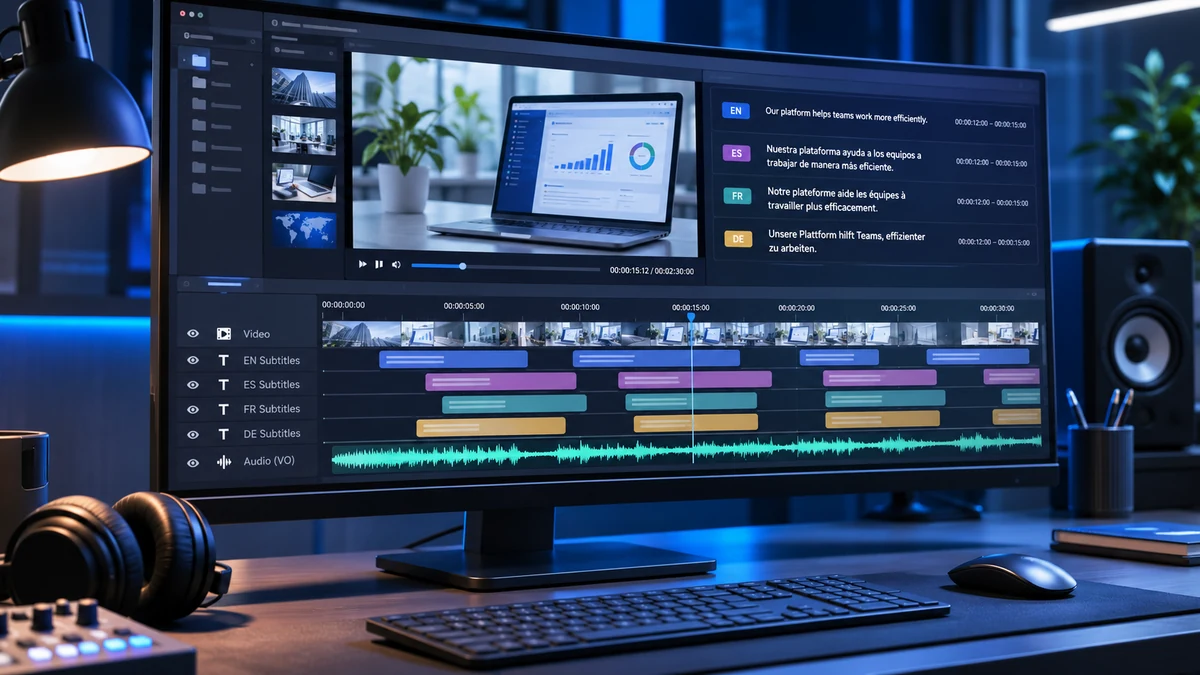
- Prepare translated subtitles and synchronize them with the video.
- Record voice-over or dubbing if translated audio is required.
- Translate on-screen text, including graphics and product labels.
- Integrate the localized assets into the video.
- Conduct localization quality assurance across language, audio, subtitles, and visuals.
- Export and publish the translated video in the required formats.
Not every project needs all nine production activities. For example, a subtitle-only project may not require new audio recording, while a fully localized training video may need subtitles, narration, and translated graphics.
Decide What Needs Translation
Before starting, watch the complete video and identify every element that communicates information through language.
The scope may include more than the dialogue or narration. Missing a short instruction, product label, or closing message can make the translated version confusing.
| Video Element | What to Check |
|---|---|
| Dialogue | Conversations, interviews, and speaker exchanges |
| Narration | Explanations, instructions, and promotional messaging |
| Subtitles | Existing subtitle or caption tracks |
| On-screen text | Titles, lower thirds, labels, and callouts |
| Graphics | Charts, diagrams, animations, and data labels |
| Product interfaces | Software menus, buttons, and screenshots |
| Metadata | Video titles, descriptions, chapters, and thumbnail text |
Also identify accessibility requirements.
According to the W3C Web Accessibility Initiative, captions may need to communicate meaningful non-speech audio information and speaker identification, while translated subtitles generally help viewers understand speech in another language.
For a product tutorial, translating the narration without addressing the interface labels may leave viewers unable to follow the instructions.
Practical output: Create a simple inventory of spoken content, visual text, and publishing assets that require localization.
Choose the Target Languages and Audience
A language name alone may not provide enough information for a successful video translation project.
Spanish for Mexico and Spanish for Spain, for example, may require different terminology, expressions, and pronunciation choices. The same applies to Brazilian and European Portuguese.
Before translating, confirm:
- Target language and locale: Specify the intended regional variety where necessary.
- Audience: Identify whether viewers are customers, employees, distributors, or general consumers.
- Content purpose: Determine whether the video explains a product, teaches a procedure, or communicates a brand message.
- Publishing platform: Confirm whether the video will appear on YouTube, a company website, an LMS, or another platform.
- Viewing conditions: Consider whether viewers will watch with sound, on mobile devices, or while following visual instructions.
For example, an English software tutorial intended for employees in Mexico may require Mexican Spanish terminology, localized interface labels, and narration that follows the demonstrated actions.
Document these requirements before translation begins. They will guide terminology decisions, voice selection, subtitle formatting, and final quality checks.
Choose a Video Translation Method
The next decision is how viewers should experience the translated content.
There are four common approaches:
| Method | Production Requirements | Typical Output |
|---|---|---|
| Translated subtitles | Translation, segmentation, timing, and subtitle QA | SRT, VTT, or subtitled video |
| Voice-over | Script adaptation, narration, recording, and mixing | Localized narration track or video |
| Dubbing | Dialogue adaptation, voice recording, and synchronization | Dubbed audio or video |
| Fully localized video | Translation of required speech, subtitles, graphics, and other media elements | Complete localized video master |
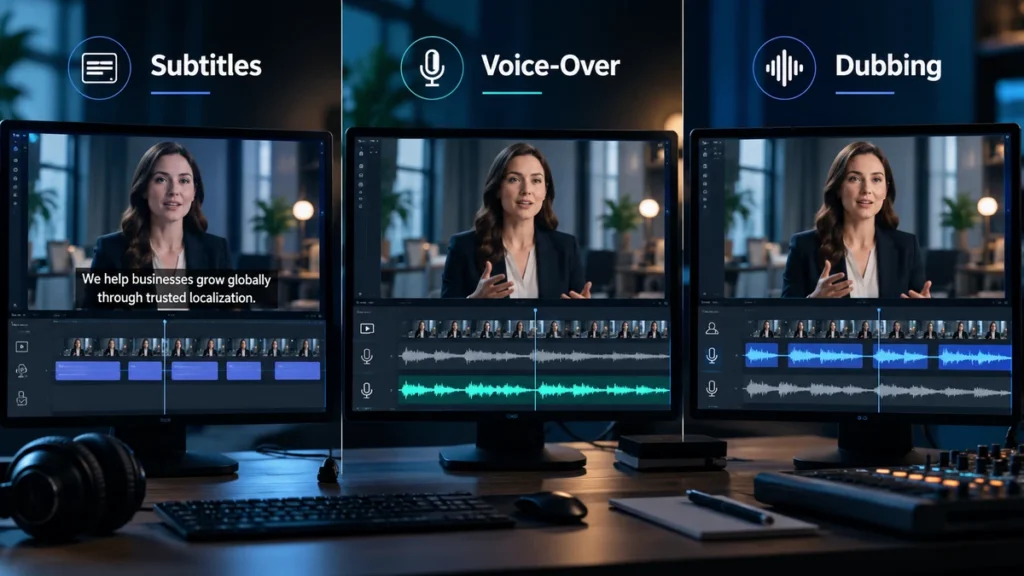
Subtitles preserve the original voices while displaying translated text. Voice-over provides spoken translation, usually without requiring precise lip synchronization. Dubbing replaces the original dialogue and may involve closer synchronization with the speakers’ performances.
Fully localized production can combine several of these activities.
Choose the approach according to the content and viewing environment. A technical tutorial may benefit from narration because viewers need to concentrate on the screen, while a corporate interview may work well with subtitles.
For a more detailed comparison, see Subtitles vs Dubbing vs Voice-Over: Which Should You Choose?.
Step 1: Prepare the Original Video and Source Files
A reliable video translation workflow starts with the correct source materials.
Collect the Final Video and Editable Assets
Begin with the final approved video, preferably in the highest practical quality available.
If possible, collect the original production files, including:
- Final video master.
- Original script or transcript.
- Existing subtitle or caption files.
- Editable video project files.
- Separate dialogue, music, and sound-effects tracks.
- Editable graphics, illustrations, and product screenshots.
- Speaker names and reference materials.
Separate audio tracks are particularly useful when replacing the original narration. If speech, music, and effects exist only as one mixed soundtrack, removing the original voice without affecting the other sounds may be difficult.
Confirm the Source Version
Make sure the video is approved before translation begins.
If scenes or dialogue change during production, previously translated scripts, subtitle timings, and recorded audio may need revision.
Record the source-video version and identify who can approve content changes.
Output: An approved source-video package containing the files and references needed for translation.
Step 2: Create and Verify an Accurate Transcript
Before translating the video, convert the original spoken content into a reliable written transcript.
Transcribe the Original Audio
You can transcribe manually or use automatic speech recognition (ASR) to generate an initial draft.
The transcript should include all relevant spoken words, speaker identification, and timestamps that connect the text to the video.
For videos featuring multiple speakers, label each speaker consistently. When dialogue overlaps or a passage is unclear, flag it for further review rather than guessing.
Review the Transcript Against the Audio
Automatic transcription can misinterpret technical vocabulary, accents, names, and numbers.
Review the transcript while listening to the original recording. Pay particular attention to:
- Product names, company names, and abbreviations.
- Measurements, dates, and numerical values.
- Safety warnings and procedural instructions.
- Negatives that could reverse the intended meaning.
- Changes between speakers.
An existing script is helpful, but it must match the final recorded speech. Presenters sometimes change wording during filming.
Output: An approved source-language transcript with accurate dialogue, speaker labels, and timestamps.
Do not begin final translation until important transcription errors have been resolved.
Step 3: Translate and Adapt the Video Script
The next step is to translate the approved transcript into the target language.
Video translation requires both linguistic accuracy and attention to the time available for speaking or reading.
Preserve Meaning and Terminology
Translate the intended message rather than copying every sentence structure.
For business content, maintain consistent terminology for products, software features, technical procedures, and brand-specific expressions.
Cultural references and idiomatic phrases may need adaptation when a literal translation would be confusing.
For example, an informal English expression used in a marketing video may require a different phrase to preserve the intended tone in another language.
Adapt the Script for Timing
Translated speech and text may be longer or shorter than the original.
A sentence delivered in five seconds in English may need additional time in the target language.
For subtitles, the translator may need to simplify phrasing while preserving essential information. For narration, the script may need adjustment so the speaker can deliver it naturally within the available scene.
Do not remove important technical or safety information simply to fit the timing.
Obtain Script Approval
Before producing final subtitles or recording audio, have a qualified target-language reviewer check the translation.
Resolve terminology, pronunciation references, and potentially sensitive claims at this stage.
Output: An approved localized script suitable for subtitle production, voice recording, or both.
Step 4: Create and Time the Translated Subtitles
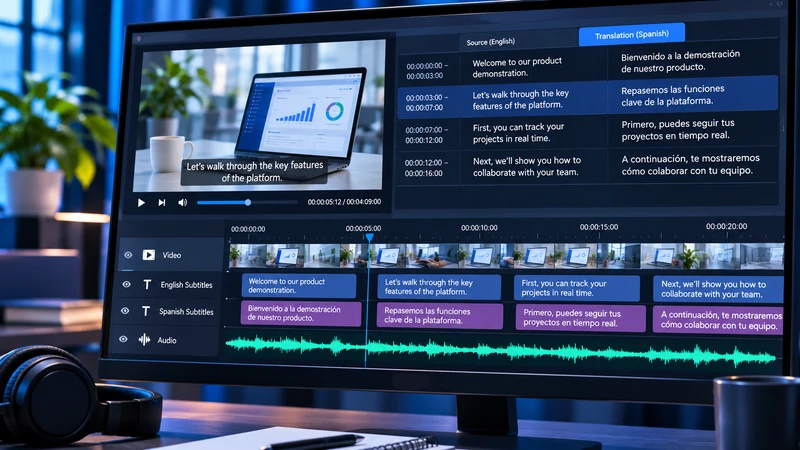
If the video requires translated subtitles, the approved translation must be divided into readable segments and synchronized with the original footage.
Segment the Translation Into Subtitle Cues
A subtitle cue is a block of text displayed during a defined time interval.
Divide the translation at natural sentence or phrase boundaries rather than copying the original language’s line breaks.
Avoid separating closely related words or displaying so much text that viewers cannot read it before the next cue appears.
For videos containing charts, demonstrations, or product interfaces, consider whether subtitles obscure important visual information.
Adjust Timing and Reading Speed
Each subtitle needs an appropriate start and end time.
When translating an existing subtitle file, you can retain its original timestamps as an initial reference. However, the translated text must be reviewed because differences in sentence length and structure can affect readability.
A useful diagnostic measurement is:
Characters per second = Number of displayed characters ÷ Subtitle duration in seconds
Reading-speed targets and character limits should follow the relevant language and delivery requirements. There is no single subtitle limit that applies to every platform.
Review subtitles during normal-speed playback and correct cues that appear too early, disappear too quickly, or overlap incorrectly.
Export SRT or WebVTT Files
Two widely used subtitle formats are:
| Format | Extension | Key Characteristics |
|---|---|---|
| SubRip | .srt | Plain-text subtitle cues with timestamps |
| WebVTT | .vtt | Web-oriented timed text with a defined file header and additional cue features |
SRT timestamps commonly use commas before milliseconds, while WebVTT uses periods and begins with a WEBVTT header.
Check the required encoding, file syntax, and supported features before exporting. YouTube and Vimeo support these formats, but their implementations and styling capabilities differ.
You can consult the YouTube subtitle format documentation and W3C WebVTT specification for technical details.
Finally, decide whether subtitles should remain selectable or be permanently burned into the video.
Selectable subtitles allow viewers to switch languages or turn the text off. Burned-in subtitles remain visible and require a separate video render if the language changes.
Output: Reviewed, synchronized subtitle files in the requested language and format.
Step 5: Record and Synchronize Voice-Over or Dubbing
When the project requires translated audio, the approved script becomes the basis for recording.
Select the Voice and Approve Pronunciation
Choose a voice appropriate for the audience, content, and regional language variety.
A corporate training video may require a clear, instructional delivery, while a promotional video may call for a more expressive performance.
Prepare a pronunciation reference for product names, brand terminology, abbreviations, and unfamiliar names.
For projects involving synthetic speech or voice cloning, confirm the necessary permissions and intended usage rights before producing the audio.
Record and Synchronize the Translation
Record the localized script using human voice talent or an approved synthetic voice solution.
Align the translated speech with scene transitions, demonstrations, and speaker changes.
For voice-over, the main objective is natural delivery that follows the visual sequence.
For dubbing, additional attention may be needed to character consistency, dialogue rhythm, and visible mouth movements.
If translated speech is too long for a scene, adjust the script or recording performance without changing the essential meaning.
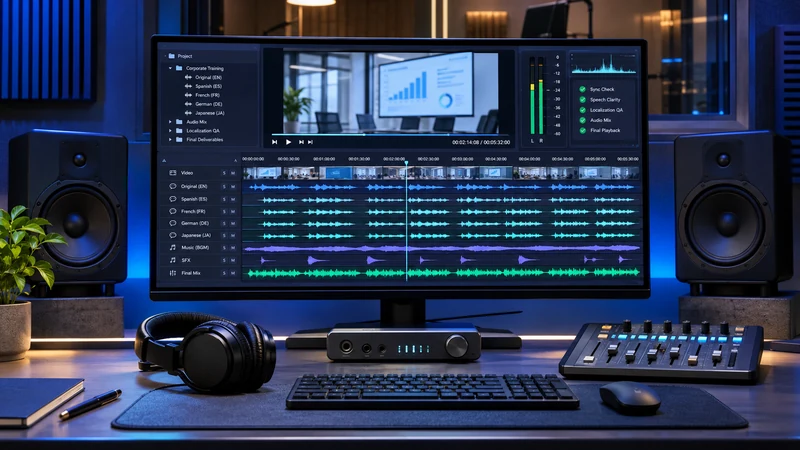
Edit and Mix the Audio
After recording, clean the dialogue and balance it against music and sound effects.
Check for background noise, inconsistent volume, distortion, awkward pauses, and sudden audio changes.
Depending on the project, the original speech may be removed, reduced beneath the translated voice, or replaced while preserving the music and effects.
Output: An approved localized audio track or synchronized audio mix ready for video integration.
Step 6: Translate and Replace On-Screen Text
Video translation is not complete when visible language remains untranslated.
Review the video frame by frame where necessary to identify text within the picture.
This may include titles, callouts, charts, subtitles embedded in the original footage, product labels, animated diagrams, and software interface elements.
Update the Visual Assets
Use editable source files whenever possible.
Replace the original text while preserving the intended design and timing. Adjust text boxes, fonts, spacing, and animations when the translation occupies more or less space.
Some languages may also require different typography or text direction.
For a software tutorial, consider whether the target audience uses a localized version of the application. If so, screenshots and interface labels should match that version rather than display translated labels that do not exist in the product.
If graphics are flattened into the video, they may need to be recreated or edited directly.
Check that translated text remains legible and appears at the correct point in the sequence.
Output: Approved localized graphics, screenshots, titles, and other visual assets.
Step 7: Integrate the Localized Assets Into the Video
Once the subtitles, audio, and graphics are prepared, assemble the translated version.
Open the approved editing project and import the localized assets.
Add the subtitle track, replace or integrate the audio, and update the required on-screen text.
For a subtitle-only project, the original video and audio may remain unchanged. For a fully localized video, several tracks may require replacement.
Check Timeline Alignment
Confirm that every asset corresponds to the correct part of the video.
Watch transitions between scenes and verify that translated narration, captions, and animations appear in the intended sequence.
Preserve the source video’s aspect ratio, resolution, and framing unless the delivery specification requires a different output.
Before final export, produce a review version with all required localized elements included.
Output: An integrated localized video ready for quality assurance.
Step 8: Conduct Localization Quality Assurance
Quality assurance is the stage where individual translation and production assets are checked together.
A correct script does not guarantee a correct finished video. Subtitle timing, voice performance, graphics, and technical playback can still introduce problems.
Check Linguistic Accuracy
Have a qualified reviewer compare the localized content with the original.
Confirm that instructions, terminology, names, numerical values, and intended meanings remain accurate.
Review whether the translated language sounds natural for the audience and maintains the intended brand tone.
Review Subtitle Timing and Readability
Watch the video with the translated subtitles enabled.
Check line breaks, reading speed, cue timing, punctuation, speaker labels, and character display.
Make sure subtitles do not cover important controls, charts, or demonstrations.
For captions intended to support accessibility, also review meaningful sound information and speaker identification where required.
Check Audio and Pronunciation
Listen to the translated recording using suitable playback equipment.
Check pronunciation, voice consistency, sound quality, music balance, and synchronization.
Confirm that no original dialogue remains unintentionally audible and that new speech does not begin or end abruptly.
Perform a Complete Final Playback
Review the entire assembled video, not just selected clips.
Test the actual export and, where possible, the intended viewing environment.
For videos with selectable subtitles or multiple audio tracks, test the language options individually.
Record any problems, correct them, and repeat the relevant checks. A final review should confirm that previously identified issues have been resolved.
Output: A QA-approved localized video with documented corrections and final sign-off.
Step 9: Export and Publish the Translated Video
After approval, prepare the files required by the destination platform.
A project may need a rendered video master, separate subtitle files, additional audio tracks, or a combination of deliverables.
Export the Final Files
Confirm the required video container, codec, resolution, frame rate, audio format, and other technical specifications.
Do not assume that every platform accepts the same files or audio settings.
Use consistent filenames that identify the content, language, and version, such as:
product-demo_es-MX_final.mp4
product-demo_es-MX.srt
product-demo_es-MX_voice.wav
Publish the Localized Version
For YouTube videos you own or are authorized to manage, YouTube Studio provides options to add subtitle languages and upload supported caption files.
Eligible creators can also upload additional multilingual audio tracks. This is separate from YouTube’s automatic dubbing feature, and the uploaded audio must meet its technical requirements.
See YouTube’s official multilingual audio guide for the current workflow and eligibility information.
For Vimeo, a separate caption and subtitle upload process supports language identification and compatible subtitle files.
For corporate websites or learning platforms, check the specific player and media requirements before uploading.
Finally, localize the relevant video title, description, chapter labels, and thumbnail text. Verify the published version by playing it as a viewer and checking each available language track.
Output: A published multilingual video or a complete, platform-ready delivery package.
How Long Does Video Translation Take?
The production timeline depends on the video and the required localized outputs.
Important factors include:
- Video duration and speech density: A short video with continuous dialogue can require more translation work than a longer video with little speech.
- Transcript quality: Unclear audio and missing scripts increase preparation work.
- Number of languages: Each target language may require separate translation, review, and production.
- Translation method: Narration and dubbing introduce recording and synchronization stages.
- On-screen graphics: Complex animations and non-editable text may require additional rebuilding.
- Approval and QA: Terminology decisions, review rounds, and corrections affect the schedule.
Teams can reduce avoidable delays by approving the original video, providing editable assets, and confirming the target languages and deliverables before production starts.
Common Video Translation Mistakes to Avoid
Even a technically complete translation can fail if important production details are overlooked.
1. Translating an inaccurate transcript. Errors in the source transcript can affect every language version. Verify the original speech before translation.
2. Ignoring subtitle timing. Translated text may not fit the original cue duration. Review reading speed and segmentation against the video.
3. Leaving graphics untranslated. A localized narration track cannot compensate for confusing interface labels or instructions that remain in the original language.
4. Exporting incompatible subtitle files. Confirm accepted formats, encoding, and platform requirements before delivery.
5. Publishing without full playback. Individual files may pass review while the assembled video still contains synchronization or visual errors.
6. Using unreviewed AI output. Automated transcription, translation, and dubbing can help production, but require appropriate human verification.
7. Overlooking voice permissions. Confirm recording, synthetic-voice, cloning, and commercial usage rights before release.
8. Changing the source video too late. Maintain version control so all translated assets remain aligned with the approved edit.
The most effective prevention is a workflow with clear approvals between transcription, translation, production, and final QA.
Video Translation Deliverables Checklist
Before accepting a completed video translation project, confirm that the required files have been delivered.
Not every project requires every file. The final package should match the approved production scope.
Language and Production Files
- Approved source-language transcript.
- Approved target-language script.
- Translated subtitle files in the requested formats.
- Localized voice-over or dubbing recordings, if required.
- Final audio mix or separate language audio tracks, if required.
- Translated graphics and on-screen text assets, where applicable.
- Final localized video master, if requested.
Quality and Delivery Files
- Clear language and version identification.
- Confirmed file formats and encoding requirements.
- Final linguistic and technical QA approval.
- Relevant terminology and pronunciation references.
- Editable project files, if included in the agreement.
- Platform-specific upload or publishing instructions, where needed.
For multilingual projects, organize the files consistently by language and version.
A complete handoff should allow the receiving team to identify, upload, maintain, and, when necessary, revise the localized materials without confusion.
FAQ
How can I translate a video?
Start by creating an accurate transcript of the original speech. Translate and adapt the transcript for your target language, then prepare subtitles, voice-over, or dubbing. Translate any necessary on-screen text, synchronize the assets, and review the finished video before exporting and publishing it.
Can AI translate video audio?
Yes. AI tools can assist with speech recognition, machine translation, and synthetic voice generation. However, automated output may contain errors involving names, technical terminology, pronunciation, or context. A qualified reviewer should verify the translation and finished audio, and appropriate voice permissions must be confirmed.
How do I translate video subtitles?
Start with an existing subtitle file or create a timed transcript. Translate the text, adjust segmentation and timestamps, and review readability while watching the video. Export the completed subtitles in a format supported by the destination platform, such as SRT or WebVTT.
Can I translate a YouTube video?
You can view available translated subtitles or audio options on eligible YouTube videos. If you own or are authorized to manage a video, you can prepare translated subtitle files and upload them through YouTube Studio. Eligible creators may also add multilingual audio tracks. Available features depend on the video and account.
Is it better to use subtitles or dubbing?
Neither method is universally better. Subtitles preserve the original voices and allow translated text to be displayed. Dubbing provides target-language speech and may be preferable for dialogue-driven content. The best choice depends on the audience, viewing conditions, and content requirements.
What files are needed to translate a video?
At minimum, provide the final video and any available script or transcript. Additional useful materials include separate audio tracks, existing subtitles, speaker information, terminology references, editable graphics, and video project files. The exact requirements depend on whether the project involves subtitles, narration, dubbing, or full localization.
Final Thoughts: Make Every Language Version Ready for Its Audience
Learning how to translate a video is ultimately about managing a connected production process.
Accurate transcription creates a reliable foundation. Translation and adaptation make the message understandable. Subtitle timing, voice recording, and graphics localization ensure the content works with the picture. Final quality assurance confirms that viewers receive a consistent experience.
For businesses publishing product demonstrations, training materials, or international marketing content, the goal should be a complete, reviewed deliverable rather than translated text alone.
Textsprime supports this process through professional subtitling, voice-over, dubbing, and multimedia localization services, helping organizations prepare multilingual video content for their intended audiences and publishing environments.