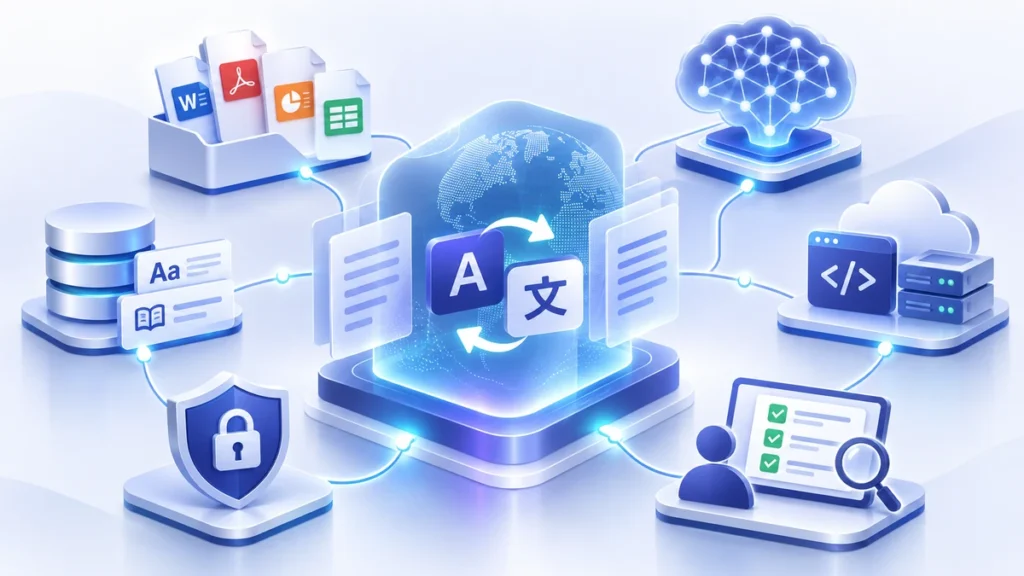
ChatGPT can translate a business document in seconds. A purchasing manager might use it to understand a supplier’s proposal, an HR team might translate an internal announcement, or a marketing team might prepare a first draft for another market.
But producing a readable translation is not the same as producing a document that is accurate, confidential, and approved for business use.
A translation can sound natural while changing a contractual obligation or omitting an important condition. Separately, uploading the source document may introduce privacy or confidentiality concerns, depending on the information involved and the service configuration.
Businesses therefore need to assess two different questions: Is the document permitted to be processed in this environment, and is the translation reliable enough for its intended purpose?
Can ChatGPT Translate Business Documents?
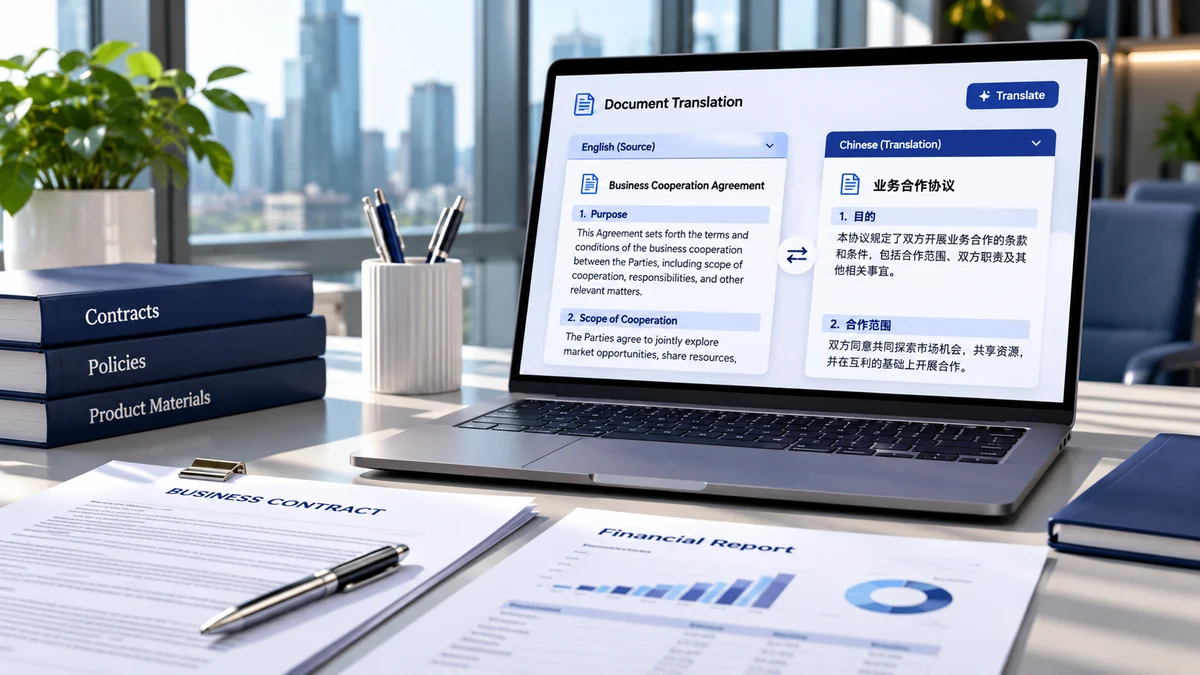
Yes. ChatGPT can assist with translating business documents, including text from supported PDF and Word files. It can generate translation drafts, suggest terminology, adapt language for a target audience, and help readers understand unfamiliar content.
However, whether ChatGPT translation is appropriate depends on the document’s sensitivity, the organization’s authorization, the selected product’s data controls, and the required level of translation accuracy.
For non-sensitive internal material, a ChatGPT-generated translation may be sufficient for preliminary understanding. Confidential contracts, financial information, regulatory documents, and safety-critical instructions generally require stronger controls and qualified review.
Two assessments must remain separate:
- Translation quality risk: Could errors, omissions, or changed wording affect the document’s meaning or use?
- Privacy and security risk: Is the organization permitted to submit the information, and are the applicable data-handling controls sufficient?
A privacy-protected workflow does not guarantee an accurate translation. Similarly, an accurate translation does not make an unauthorized upload acceptable.
What Can ChatGPT Do With Business Documents?
ChatGPT provides several forms of language assistance that can support document translation workflows.
Text Translation and First Drafts
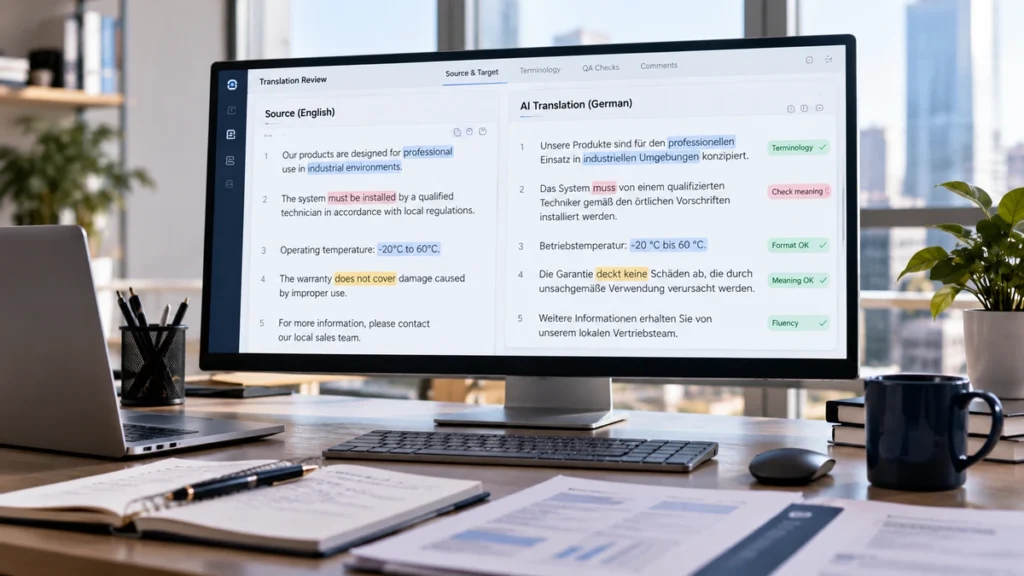
ChatGPT can translate passages, paragraphs, or longer documents into a requested language. Users can specify the target locale, intended audience, tone, and terminology requirements.
For example, an international sales team might translate a non-confidential product overview from English into German for initial distributor feedback.
The result should be treated as a draft until the required quality checks have been completed.
Terminology and Language Adaptation
ChatGPT can suggest translations for technical terms, compare alternative expressions, and help adapt language for different audiences.
A marketing manager might request formal French for a corporate brochure or terminology suggestions for a software product.
These suggestions still require validation against approved terminology and regional language conventions.
Document Comprehension and Review Assistance
ChatGPT can also:
- Summarize foreign-language materials for preliminary understanding.
- Identify potentially ambiguous passages.
- Compare a source text with a translation draft.
- Highlight possible terminology inconsistencies.
- Suggest improvements to clarity and style.
A summary, however, is not a complete translation. It intentionally selects information rather than preserving every source detail.
According to OpenAI’s file-upload documentation, ChatGPT supports common document formats, including PDF, DOCX, TXT, and others. Actual processing capabilities depend on the selected model, tools, and workspace settings.
ChatGPT Translation vs Professional Translation
The main difference is not simply speed. It is how translation work is planned, controlled, reviewed, and approved.
| Dimension | ChatGPT-Assisted Translation | Professional Translation Workflow |
|---|---|---|
| Initial translation | AI-generated draft | Human translation or managed AI-assisted production |
| Context | Relies on supplied or accessible information | Can include project briefs, reference materials, and specialist consultation |
| Terminology | Uses instructions and supplied glossaries | Can use approved glossaries, translation memories, and terminology review |
| Quality control | Requires user-defined verification | Can include bilingual revision, QA, and subject-matter review |
| Data handling | Depends on the selected product and settings | Depends on the provider’s contracts and operational controls |
| Accountability | Organization must assign responsibility | Responsibilities can be defined across translators, reviewers, and providers |
| Formatting | May require reconstruction or manual correction | Formatting and DTP can be included in the agreed scope |
Neither approach is automatically risk-free.
A professional translation provider must also demonstrate suitable confidentiality practices and quality controls. Conversely, ChatGPT may be a useful component of an approved professional workflow.
The practical decision is often between AI-only assistance, AI with qualified human review, and human-led translation.
For a broader workflow comparison, see Human Translation vs AI Translation.
Which Business Documents May Be Suitable for ChatGPT?
ChatGPT is generally easier to consider when the document is authorized for processing and mistakes would have limited consequences.
Potential examples include:
- Non-sensitive internal notes: Routine meeting notes or general team updates.
- Early business drafts: Preliminary communications that will be revised before distribution.
- Public knowledge materials: Published articles or informational resources used for internal understanding.
- Low-risk product information: General descriptions without safety-critical instructions or sensitive commercial details.
- Draft marketing content: Preliminary translations that will receive appropriate editorial review.
Document classification matters more than its title.
An internal report containing employee records may be highly sensitive. A publicly available installation instruction may carry little confidentiality risk but substantial translation-quality risk.
The intended use also matters. Reading a translated paragraph for background understanding is different from sending it to a customer as an official statement.
Which Documents Require Stronger Controls?
Some documents should not enter a general-purpose translation workflow without additional authorization and safeguards.
Confidential and Sensitive Information
Examples include:
- Contracts containing confidential commercial terms.
- Employee records and sensitive HR information.
- Customer or supplier personal information.
- Financial statements and unpublished business forecasts.
- Unreleased product designs or research data.
Before processing these files, document owners may need approval from legal, procurement, privacy, or information-security teams.
High-Consequence Content
Other documents require stronger linguistic verification because errors could cause significant harm.
These include regulatory submissions, medical information, safety instructions, legally binding agreements, and technical specifications.
For example, incorrectly translating a maximum operating temperature could affect product safety. Changing a contractual exception could alter the obligations understood by the parties.
AI assistance may still be possible within an authorized, controlled workflow. However, the final document may require qualified translators, subject-matter specialists, or formal approval procedures.
Translation Quality Risks: What Can Go Wrong?
ChatGPT translation can produce fluent text without consistently preserving every detail of the original.
Several problems deserve particular attention.
Mistranslations and Changed Meaning
A translation may alter obligations, conditions, or degrees of certainty.
Consider this example:
Original: “The supplier may terminate the agreement after providing 30 days’ written notice.”
An incorrect translation that changes may to must would materially change the meaning.
Such differences may not be obvious to someone who reads only the target language.
Omissions and Unsupported Additions
ChatGPT may omit qualifications, simplify detailed statements, or introduce wording that was not present in the source.
A missing warranty exclusion or an added product performance claim could have commercial consequences.
Instructions such as “do not summarize” are useful, but they do not guarantee completeness.
Terminology Inconsistency
A company may require specific translations for product names, technical components, contractual terms, or organizational roles.
Inconsistent terminology across sections can create confusion, particularly in long documents.
Approved glossaries help establish preferences, but compliance with those preferences still needs checking.
Numbers, Dates, and Named Entities
Special attention should be given to monetary amounts, percentages, measurement units, product codes, dates, addresses, and company names.
A single incorrect decimal separator or altered model number may be more consequential than several minor stylistic problems.
Long-Document Context and Cultural Suitability
Long documents introduce additional challenges, including references between sections, recurring defined terms, appendices, and consistent language across chapters.
Cultural and regional conventions also matter. A translation intended for Spanish-speaking customers in Mexico may require different terminology from one prepared for Spain.
Research on ChatGPT-assisted translation evaluation has also identified limitations when the model assesses its own translations. This reinforces the importance of independent translation accuracy evaluation rather than relying solely on AI-generated confidence or self-review.
ChatGPT Translation Privacy and Security Risks
Translation accuracy and information security require different controls.
Even a perfectly translated document may have been processed inappropriately if it was uploaded without authorization.
Data Submission and Authorization
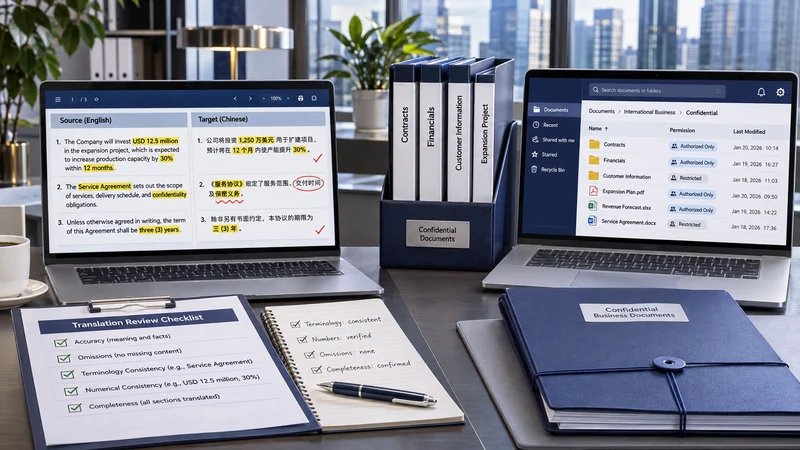
Uploading a business file to ChatGPT involves submitting information to a service outside the original document environment.
Before uploading, organizations should determine:
- Who owns or controls the information?
- Does the employee have permission to submit it?
- Do contracts or internal policies restrict external processing?
- Does the file contain personal, confidential, or regulated information?
An employee’s ability to access a document does not necessarily authorize uploading it to an external AI service.
Model Training Is Not the Same as Data Retention
Three questions should be examined separately.
Model training: Can submitted information be used to improve the provider’s models?
Retention: How long might the conversation, uploaded file, or associated records remain stored?
Access: Which users, administrators, service providers, or authorized systems may access the information?
A commitment not to train models on business data does not necessarily mean the data is immediately deleted or never accessible under applicable operational arrangements.
OpenAI’s Chat and File Retention documentation distinguishes saved conversations from files stored separately in Library or Space. Deleting a conversation does not automatically delete every separately saved file.
Workspace Controls and Third-Party Integrations
Managed workspaces may provide additional controls over users, connected applications, permissions, and organizational policies.
However, integrations can introduce additional data-processing relationships.
For example, a document retrieved from a connected storage service may be subject to the source provider’s permissions and any applicable third-party data-handling arrangements.
Organizations should review connected applications separately rather than assuming that every integration follows identical privacy terms.
Personal ChatGPT vs Business, Enterprise, and API
OpenAI’s products do not all operate under identical data-handling arrangements.
The following comparison summarizes important distinctions documented as of November 2026.
| Feature | Personal ChatGPT | ChatGPT Business | ChatGPT Enterprise | OpenAI API |
|---|---|---|---|---|
| Typical use | Individual assistance | Managed team workspace | Enterprise deployment | Custom applications |
| Model training | Controlled through applicable personal data settings | Excluded by default | Excluded by default | Excluded by default |
| Administration | Mainly account-level controls | Workspace administration | Advanced organizational controls | API organization and project controls |
| Retention | Depends on chats, files, and user settings | Applicable product and workspace policies | Enterprise retention configuration | Endpoint-specific retention rules |
| Integrations | Plan-dependent apps | Workspace-managed apps | Advanced app governance where supported | Developer-selected integrations |
| Main consideration | Personal settings do not establish company approval | Confirm organizational configuration | Confirm contracted features and policies | Review endpoints, storage, and application design |
Personal ChatGPT
For eligible personal Free, Plus, and Pro workspaces, OpenAI documents a setting called Improve the model for everyone.
Users can disable this setting to prevent eligible conversations from being used for model improvement.
Temporary Chat has different behavior. According to OpenAI, temporary conversations are not used to improve models while they remain temporary, but they may be retained for up to 30 days for safety purposes.
These settings do not replace organizational authorization or confidentiality agreements.
ChatGPT Business and Enterprise
OpenAI states that inputs and outputs from ChatGPT Business and Enterprise workspaces are excluded from model training by default.
Managed workspaces also provide administrative and security features, although available controls and retention configurations vary by product.
Organizations should verify the settings in their actual workspace rather than assuming that all business subscriptions provide identical capabilities.
OpenAI API
The API has separate rules from ChatGPT subscriptions.
According to OpenAI’s API data controls documentation, API inputs and outputs are not used for model training by default unless explicitly shared.
However, API data may involve abuse-monitoring logs and application-state storage. Default abuse-monitoring logs may be retained for up to 30 days, subject to documented exceptions.
Eligible customers may obtain modified retention arrangements or Zero Data Retention for supported configurations. These options are not universal guarantees covering every endpoint, feature, or stored file.
Business decision: Verify the specific product, applicable agreement, administrative settings, file-handling behavior, and retention requirements before processing sensitive information.
Can ChatGPT Translate PDF and Word Documents?
ChatGPT PDF translation and ChatGPT Word document translation involve more than converting sentences between languages.
A usable document also needs complete content, correct structure, and appropriate formatting.
Translating PDF Documents
A text-based PDF usually contains digitally extractable text. A scanned PDF may contain only page images and require optical character recognition or supported visual processing.
Potential problems include:
- Text extracted in the wrong reading order.
- Missing content in scanned pages.
- Table cells separated from their headings.
- Footnotes or captions being overlooked.
- Text embedded inside diagrams or charts.
OpenAI documents support for analyzing text and images in PDFs, but processing can vary by product, file-attachment method, and available tools.
For important documents, confirm that all relevant content has been extracted before relying on the translation.
Translating Word Documents
ChatGPT supports DOCX uploads. OpenAI also offers ChatGPT for Word, which provides document drafting, editing, and review assistance within Microsoft Word.
However, support for Word documents does not guarantee that every original layout element will survive translation unchanged.
Complex tables, text boxes, charts, styles, and page layouts may need manual adjustment.
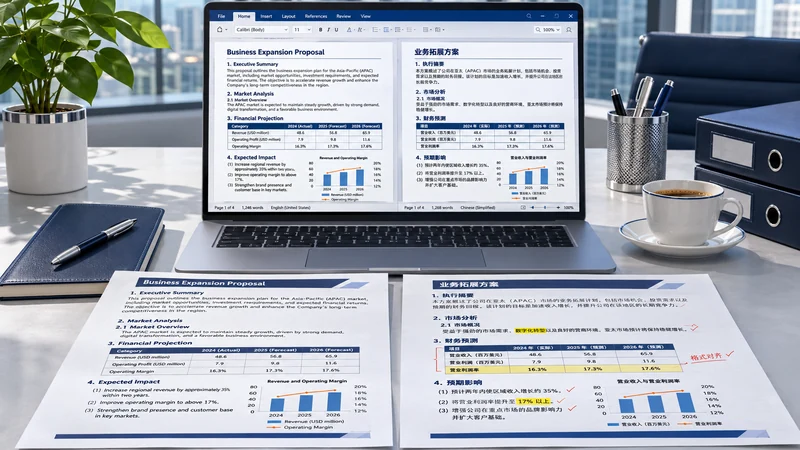
Why Formatting Requires a Separate Review
Translated text often expands or contracts compared with the source.
This can affect page breaks, column widths, numbered lists, headers, footers, and the positioning of graphics.
A final document should therefore receive both linguistic verification and formatting inspection.
For documents with complex layouts, multilingual document formatting services may be needed after the translation has been reviewed.
How to Translate Lower-Risk Business Documents With ChatGPT
A controlled AI document translation workflow should begin before anyone uploads a file.
The following process is intended for authorized, lower-risk material.
Step 1: Classify the Document
Identify whether the source contains personal information, confidential commercial terms, regulated material, or other restricted content.
Consider the consequences of both disclosure and translation errors.
Step 2: Confirm Permission
Check internal policies, document ownership, client agreements, and any applicable restrictions.
If permission or required safeguards cannot be established, do not upload the document.
Step 3: Minimize Sensitive Information
Remove unnecessary personal or confidential details where appropriate.
For example, replace individual names with neutral identifiers if identity is irrelevant to the translation.
Keep any mapping between placeholders and original values in an appropriately controlled environment.
Pseudonymization alone does not necessarily make information anonymous.
Step 4: Verify the Workspace
Confirm that the correct ChatGPT product and organizational workspace are being used.
Review applicable model-training settings, retention expectations, administrator controls, and connected applications.
Step 5: Prepare Translation Instructions
Specify the source and target languages, target locale, intended audience, glossary, and required tone.
Identify information that must remain unchanged, such as product codes, numbers, defined terms, and names.
Step 6: Generate the Translation Draft
Submit only authorized material.
Ask ChatGPT to preserve the structure, translate all relevant content, and flag ambiguous passages rather than silently making assumptions.
Step 7: Check Completeness
Compare the draft against the source.
Verify that every relevant heading, paragraph, list, table, footnote, and appendix has been accounted for.
Step 8: Review Critical Details
Check terminology, numbers, dates, units, names, contractual conditions, and other information where errors could affect business decisions.
Step 9: Verify Formatting
Inspect the final file for missing text, broken tables, incorrect numbering, and layout problems.
Do not treat a successfully exported PDF or DOCX file as proof of completeness.
Step 10: Approve and Close the Workflow
Obtain the review and approval required for the document’s intended use.
Apply the organization’s recordkeeping, file-retention, and deletion requirements.
How to Evaluate ChatGPT Translation Accuracy
The most reliable evaluation begins with a direct comparison between the original and translated text.
A practical checklist should cover the following areas.
| Review Area | What to Check |
|---|---|
| Meaning | Does the translation preserve the intended message? |
| Completeness | Are any sentences, conditions, or sections missing? |
| Unsupported additions | Has information been introduced that is absent from the source? |
| Numbers and units | Are amounts, quantities, dates, and measurements correct? |
| Names and entities | Are company names, locations, and product identifiers preserved? |
| Terminology | Are approved terms used consistently? |
| Style | Is the language appropriate for its purpose and audience? |
| Locale | Are regional conventions and language variants suitable? |
| Formatting | Are headings, tables, references, and document structure intact? |
Reviewers should also classify errors by consequence.
A critical error may create serious legal, financial, operational, or safety implications. A major error may significantly affect understanding or usability. A minor error may concern style or presentation without materially changing meaning.
ISO 5060:2024 provides guidance on evaluating translation output, including human translation and machine-generated translation. However, using a simple checklist does not automatically establish conformity with the standard.
For a more detailed evaluation framework, see AI Translation Accuracy: How to Test Business Content.
Example ChatGPT Document Translation Instructions
Clear instructions can help reduce avoidable problems, although they cannot guarantee translation accuracy or data security.
Prompt 1: Preserve Meaning and Terminology
Translate the following authorized, non-sensitive business document from English into German (Germany).
Preserve all headings, numbering, paragraph boundaries, names, dates, numerical values, and units.
Use the supplied glossary consistently. Do not summarize, omit information, or introduce claims that do not appear in the original.
Flag ambiguous passages for review instead of silently choosing an interpretation.
Prompt 2: Review a Translation Draft
Compare the following source document with its translation.
Identify possible omissions, unsupported additions, terminology inconsistencies, and changes affecting numbers, names, obligations, or conditions.
Present the relevant source and target passages together, explain each possible issue, and mark uncertain findings for independent bilingual verification.
Do not assume that the existing translation is correct.
Important: Prompt instructions are task controls, not independent quality assurance. AI-generated reviews may also overlook errors and should not replace qualified verification when the consequences justify it.
When Is Professional Human Review Necessary?
Professional review becomes more important as document complexity, visibility, or the consequences of errors increase.
Common examples include:
- Legal documents: Contracts, agreements, and statements with defined obligations.
- Regulatory content: Submissions and materials requiring precise industry-specific language.
- Medical and safety information: Instructions where incorrect interpretation could create harm.
- Public-facing communication: Customer information, product claims, and official announcements.
- Brand-critical materials: Campaigns and corporate messaging where tone and cultural suitability matter.
Different reviewers may have different responsibilities.
A qualified translator or bilingual reviewer assesses linguistic fidelity. A subject-matter expert checks technical correctness. A legal or compliance professional evaluates the document within the relevant requirements. The document owner confirms that the final material is approved for its intended use.
Professional review may be incorporated into a broader AI translation and post-editing workflow, rather than requiring businesses to reject AI-generated drafts entirely.
Business Document Translation Risk Matrix
A practical translation decision should assess both information sensitivity and the consequences of an incorrect translation.
| Document Type | Sensitivity | Quality Risk | Possible ChatGPT Role | Recommended Review |
|---|---|---|---|---|
| Non-sensitive meeting notes | Low | Low | Draft translation | Internal spot-check |
| Public knowledge articles | Low | Medium | Translation draft | Bilingual content review |
| General marketing drafts | Low–Medium | Medium–High | Initial draft and adaptation | Marketing and linguistic review |
| Public product descriptions | Low | Medium | Preliminary translation | Product terminology check |
| Confidential contracts | High | High | Restricted, approved assistance only | Legal and qualified linguistic review |
| Financial reports | High | High | Controlled assistance where authorized | Finance and bilingual review |
| Sensitive HR documents | High | High | Authorized, minimized processing only | HR/privacy and linguistic review |
| Medical or safety instructions | Variable | High | Restricted supporting tasks | Qualified specialist review |
| Unreleased technical specifications | High | High | Controlled terminology or draft assistance | Technical and bilingual review |
These classifications are illustrative, not universal.
A document’s sensitivity may change according to its contents, contractual status, and applicable policies. Quality risk depends on how the translation will be used.
The matrix should guide an organization’s assessment rather than replace it.
Common ChatGPT Translation Mistakes to Avoid
Several recurring mistakes can undermine an otherwise useful translation workflow.
Uploading documents without authorization. File availability does not establish permission to use an external processing service.
Assuming all ChatGPT plans share the same policies. Training treatment, retention, administrative features, and integration controls vary.
Trusting fluent output without comparison. Natural language may conceal incorrect meaning or missing details.
Ignoring document completeness. A translated file may omit tables, appendices, footnotes, or text inside images.
Assuming automatic layout preservation. PDF and Word files may require substantial formatting review.
Publishing without the required approval. A preliminary draft should not automatically become an official customer-facing or regulated document.
Treating AI self-review as final verification. Independent bilingual judgment remains important where errors could have meaningful consequences.
Can ChatGPT translate PDF documents?
Yes. ChatGPT supports PDF uploads and can assist with translating their contents. However, results depend on whether text is extractable, whether visual content can be processed in the selected configuration, and how the file is structured. Scanned pages, tables, and embedded graphics may require additional checks. Layout preservation should be verified separately.
Is ChatGPT translation accurate?
ChatGPT can produce useful translations, but accuracy varies by language pair, subject matter, instructions, context, and model. Fluency does not guarantee fidelity. Businesses should check completeness, terminology, numbers, names, and intended meaning, with independent human review where required.
Is it safe to upload confidential documents to ChatGPT?
Not automatically. Confidential documents should be uploaded only when the organization has authorized the processing and confirmed that the selected environment, contractual terms, access controls, retention arrangements, and other safeguards meet its requirements. A no-training commitment alone does not establish that an upload is permitted.
Can ChatGPT preserve Word document formatting?
ChatGPT can work with Word documents, and ChatGPT for Word provides editing and formatting assistance. Nevertheless, complex tables, charts, styles, text boxes, and page layouts may require manual correction. Final files should be checked against the source before delivery.
Does ChatGPT use uploaded documents for training?
It depends on the product and applicable settings. OpenAI states that eligible personal ChatGPT content may be used for model improvement when the relevant setting is enabled. Users can manage this through Data Controls. For ChatGPT Business, Enterprise, and the API, OpenAI states that business inputs and outputs are excluded from model training by default, subject to applicable opt-in arrangements. Training policies are separate from data retention, access, and deletion rules. Consult OpenAI's current Data Controls documentation before relying on a particular configuration.
Should businesses use ChatGPT or professional translators?
The appropriate choice depends on document sensitivity, accuracy expectations, intended use, and the consequences of errors. ChatGPT can be valuable for authorized, lower-risk translation drafts and preliminary comprehension. Professional translation or qualified human review becomes more important for specialist, confidential, high-value, or high-consequence material. Many organizations may benefit from a combination of AI assistance, structured quality controls, and professional linguistic expertise.
Final Thoughts: Choose the Translation Workflow, Not Just the Tool
ChatGPT can help businesses translate documents more efficiently, especially when the objective is preliminary understanding, terminology preparation, or first-draft production.
However, safe and reliable business translation requires more than a capable language model.
Organizations must determine whether the information may be processed in the selected environment, whether the translation meets its intended quality requirements, and who is responsible for final approval.
For some documents, a carefully reviewed ChatGPT draft may be sufficient. For others, a controlled AI-assisted process or human-led translation will be more appropriate.
The best decision is not whether ChatGPT is universally safe or unsafe for translation. It is whether a specific document, data environment, and review process are suitable for the task.
For documents requiring specialized linguistic review, terminology consistency, or professional formatting, Textsprime provides business document translation services with workflows selected according to document requirements.
Source and policy note: OpenAI product capabilities and data-handling statements were reviewed against official documentation on November 9, 2026. Features, settings, and contractual arrangements may change. Organizations should confirm applicable terms and configurations before using ChatGPT for sensitive documents.
References and Further Reading
- OpenAI — Uploading Files and Audio to ChatGPT
- OpenAI — Data Controls in ChatGPT
- OpenAI — Chat and File Retention
- OpenAI — Business Data Privacy and Security
- OpenAI — API Data Controls
- OpenAI — ChatGPT for Word
- NIST — AI Risk Management Framework
- ISO 5060:2024 — Evaluation of Translation Output
- Machine Translation Summit 2025 — Testing LLMs’ Capabilities in Annotating Translations