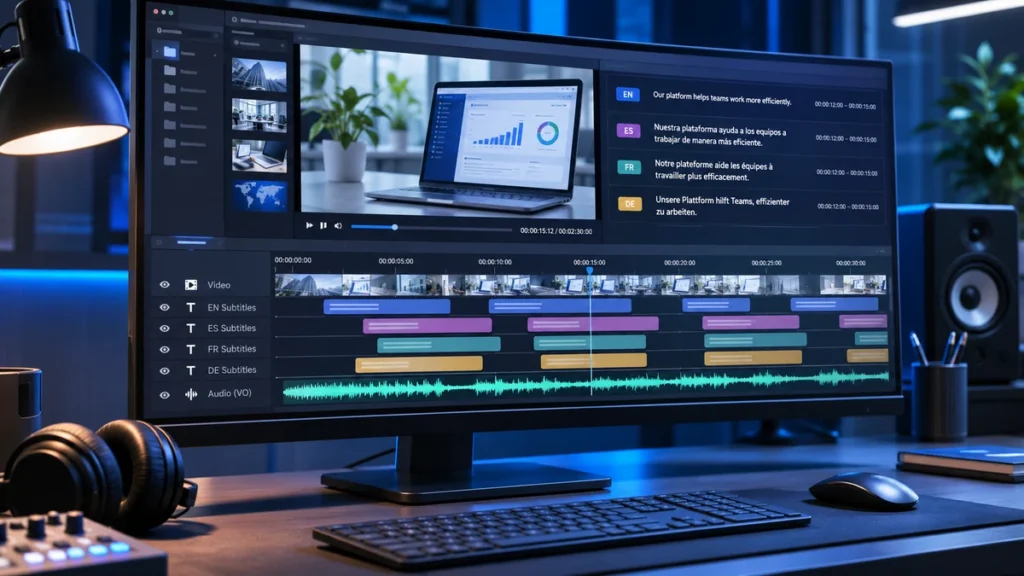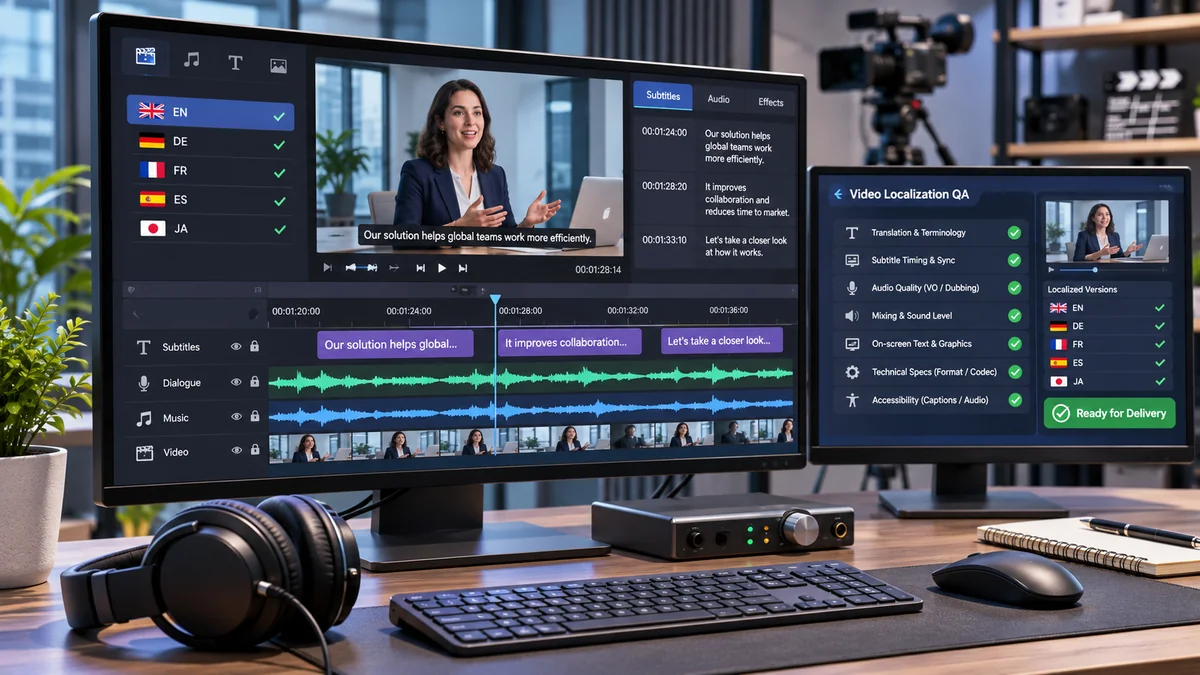
A video can be accurately translated and still fail when it reaches its international audience. Subtitles may be out of sync, product labels may remain untranslated, narration may contain pronunciation errors, or the delivered file may not work on the intended platform.
These problems often originate before production begins: incomplete source assets, unclear language requirements, unapproved scripts, or missing technical specifications.
This video localization checklist provides 60 actionable checks covering project preparation, subtitles, voice-over, dubbing, on-screen text, linguistic quality, technical delivery, and publishing.
It is designed for marketing managers, localization teams, video producers, corporate communications departments, and agencies managing multilingual video projects.
Quick Answer: What Should a Video Localization Checklist Include?
A video localization checklist should verify project scope, target languages, approved source files, terminology, subtitles, voice-over or dubbing, on-screen text, accessibility, and technical specifications.
Before delivery, teams should complete linguistic, audio, and playback quality assurance, confirm platform compatibility, and record final approval.
The most important checkpoints are:
- Before production: Confirm project requirements, source assets, language specifications, and approval responsibilities.
- During production: Verify translation, subtitle timing, voice recordings, dubbing, visual text, and cultural adaptation.
- Before delivery: Check linguistic accuracy, audio quality, technical compatibility, required files, and version control.
- Before publishing: Test the final video, language tracks, captions, metadata, and playback experience.
Each check should have an assigned owner, a recorded result, and a corrective action when necessary.
How to Use This Video Localization Checklist
The checklist works best as a shared quality-control document rather than a list reviewed only at the end. For a broader explanation of the stages preceding QA, see the video translation process.
Assign an Owner and Record Evidence
Use six fields to manage each inspection:
| Field | What to Record |
|---|---|
| Phase | Production or quality-control stage |
| Item | Specific requirement being verified |
| Owner | Person responsible for checking or approving it |
| Status | Pass, Fail, Pending, or N/A |
| Evidence | File version, timestamp, screenshot, report, or approval |
| Priority | Critical, Major, or Minor |
For example, if German subtitles fail a reading-speed check, record the affected subtitle file, timecodes, assigned editor, required correction, and retest result.
Mark an item N/A only when it does not apply to the approved project scope.
Use Three Approval Gates
Gate 1 — Source Ready: The approved video, source files, project requirements, and language references are available.
Gate 2 — Production Approved: Localized scripts, subtitles, recordings, and graphics pass their respective reviews.
Gate 3 — Release Ready: The finished media, delivery package, and publishing environment pass final inspection.
Do not advance a project with unresolved Critical issues.
Project Scope Checklist
An incomplete brief can affect every downstream production decision.
Confirm the Localization Requirements
Document the intended audience, video purpose, target countries, language variants, publishing platforms, deadline, budget constraints, and required deliverables.
Specify locales rather than language names alone. For example, Spanish for Mexico (es-MX) and Spanish for Spain (es-ES) may require different terminology, pronunciation, and cultural choices.
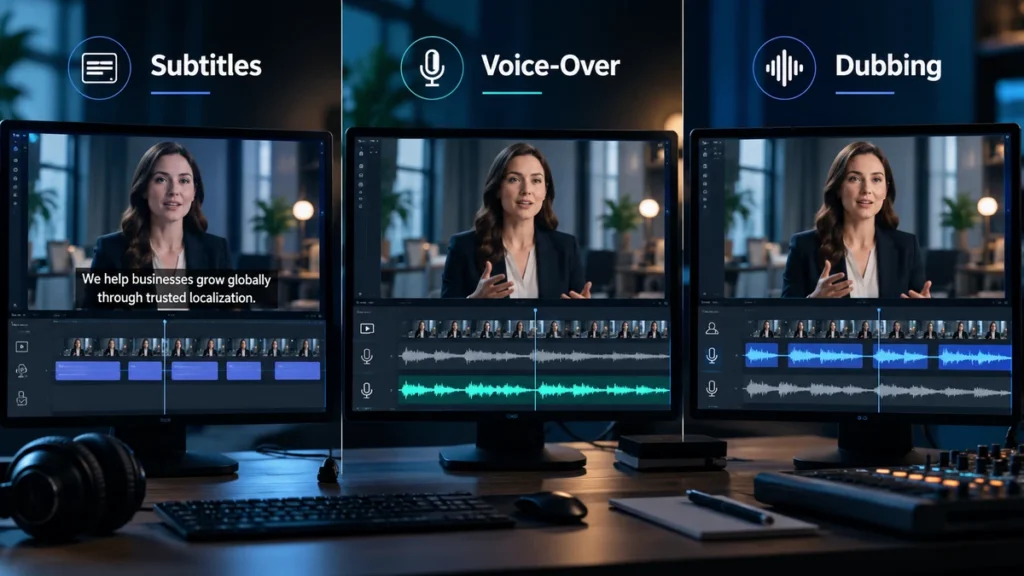
Confirm whether the client expects subtitle files, localized narration, lip-sync dubbing, accessible captions, separate audio tracks, or fully rendered language-specific videos. For help distinguishing the production options, see Subtitles vs Dubbing vs Voice-Over.
Also identify the final approver for each locale and establish what constitutes an acceptable deliverable. If budget constraints affect the scope, refer to the existing video translation cost guide rather than comparing prices during QA.
Approval evidence: Signed localization brief, language matrix, delivery specification, and responsibility list.
Source Asset Checklist: Prepare Files Before Production
Missing source materials frequently cause avoidable re-editing.
Verify the Source Package
Request the final approved video at the highest practical available quality, together with the original script and an accurate transcript.
Where production requires them, collect:
- Editable video project files and linked media.
- Clean dialogue, music, and effects tracks.
- Original graphics, animations, charts, and fonts.
- Existing subtitle or caption files.
- Brand guidelines and terminology references.
- Music, footage, and voice usage-rights information.
Check that the files actually open and match the approved video version.
A video with permanently embedded titles may require graphics reconstruction. Similarly, replacing narration becomes more difficult when original dialogue and music exist only as one mixed audio track.
Approval evidence: Verified source inventory with file versions, missing-asset decisions, and rights documentation.

Language and Terminology Checklist
A multilingual video should maintain consistent meaning and recognizable brand language.
Lock the Language Specifications
Confirm regional language variants, audience tone, preferred terminology, product names, and expressions that must remain untranslated.
Prepare a pronunciation guide for brands, personal names, abbreviations, and technical vocabulary.
For specialized training or product demonstrations, ask a subject-matter reviewer to approve terminology before recording begins.
A glossary should also specify how important terms appear in subtitles, spoken narration, and on-screen graphics.
Approval evidence: Approved glossary, pronunciation references, and target-language style guide.
Subtitle Localization Checklist
Subtitle quality depends on accurate language, readable presentation, and synchronization with the picture.
Check Translation and Timing
Compare translated cues with the approved transcript and final video. Verify that important information is preserved and that text appears when the corresponding speech occurs.
Inspect segmentation, line breaks, punctuation, and reading speed. Avoid splitting phrases in ways that make the meaning difficult to follow.
Subtitle limits must follow the relevant client or platform specification. There is no universal maximum character count, reading speed, or display duration that applies to every language and distribution platform.
For example, Netflix publishes specific limits in its timed-text style guides. Those requirements should not automatically be applied to unrelated corporate videos.
Verify Accessibility and File Compatibility
Translated dialogue subtitles and accessible captions are not necessarily equivalent.
Where captions are required, include meaningful non-speech audio information and speaker identification when needed for understanding.
The W3C guidance on captions and subtitles explains these accessibility considerations.
Finally, test the exported SRT, WebVTT, or other specified file in the intended player. Check character encoding, synchronization, and whether captions obscure important visual information.
Voice-Over Checklist
Voice-over production should begin only after the localized narration script is approved.
Approve the Voice and Recording
Confirm the voice profile, regional accent, speaking style, speaker assignments, pronunciation guide, and permitted usage.
Review a representative recording sample before producing the complete narration.
Check that the voice delivers technical terms correctly and fits the visual sequence without unnatural speed changes.
After recording, inspect unwanted noise, clipping, inconsistent volume, awkward pauses, and the relationship between narration, music, and sound effects.
Approval evidence: Approved script, casting confirmation, recording sample, and audio review report.
Dubbing Checklist
Dubbing quality requires more than replacing the original dialogue.
Check Adaptation, Performance, and Synchronization
Verify that the adapted script communicates the original meaning naturally within the available dialogue timing.
Confirm appropriate casting, consistent character voices, emotional delivery, and the agreed level of lip synchronization.
Review dialogue against visible mouth movements where lip-sync dubbing is required. Record pickups or corrections before final mixing.
The Netflix Dubbing Guiding Principles offer examples of professional production considerations, although individual projects may have different acceptance requirements.
The final dub should also integrate naturally with the surrounding soundtrack.
On-Screen Text Checklist
Translated speech cannot compensate for essential visual information remaining in the wrong language.
Inspect Every Visible Text Layer
Review titles, lower thirds, product labels, charts, diagrams, UI recordings, animations, presentation slides, and embedded captions.
Check the localized wording against approved terminology.
Verify that longer translations fit within text containers, fonts support the target script, and animations remain readable.
Right-to-left languages may require layout changes beyond replacing the text.
For software demonstrations, confirm that translated interface labels correspond to the version users will actually see.
Cultural and Market Adaptation Checklist
Cultural QA should verify whether the finished video makes sense in its intended market.
Check regional expressions, examples, imagery, measurement conventions, references, and calls to action.
Review potentially sensitive claims or visuals with an appropriate market representative.
For example, a training video discussing employee benefits should not imply that policies in one country apply globally.
Cultural adaptation must preserve the intended message without introducing unsupported statements.
AI and Synthetic Voice Checklist
AI-assisted speech production introduces additional verification requirements.
Confirm Authorization and Quality
Before generating commercial voice content, check the provider’s usage terms, required permissions, voice-cloning consent, and contractual restrictions.
Distinguish using a licensed synthetic voice from cloning an identifiable person’s voice. Commercial access to a tool does not automatically establish permission to reproduce someone’s voice.
Review synthetic narration for pronunciation, omitted words, unnatural pauses, incorrect emphasis, and changes in meaning.
Determine whether disclosure or other transparency measures are required under applicable law or platform policy.
For relevant EU use cases, consult the EU AI Act’s transparency obligations.
Approval evidence: Rights records, compliance assessment, and human-reviewed audio.
Technical QA Checklist
A technically valid file must satisfy the actual delivery requirements.
Inspect the Final Export
Verify resolution, aspect ratio, frame rate, codec, color configuration, audio sample rate, channel assignments, and language-track identification.
Check that subtitle timing and font rendering survive export.
Inspect the finished video for corrupted frames, missing scenes, unexpected black frames, and playback failures.
For example, YouTube publishes recommended upload encoding settings, while other platforms may require different specifications.
Test the actual exported file rather than relying only on the editing timeline.

Linguistic QA Checklist
Linguistic QA should be performed by a qualified reviewer familiar with the target language and content.
Review the Localized Video in Context
Compare the finished version with the approved source.
Pay particular attention to product specifications, measurements, safety instructions, numerical values, negation, and technical terminology.
Verify that subtitles, narration, and graphics use consistent language.
Assess whether spoken dialogue sounds natural and whether cultural adaptations preserve the original intent.
A translated script may pass a document review but still fail when heard alongside the video.
Record issues with precise timecodes and approved corrections.
Audio QA Checklist
Audio QA should assess the delivered mix, not only the original recording.
Check pronunciation, missing speech, speaker continuity, synchronization, clipping, unwanted noise, and abrupt edits.
Verify that dialogue remains understandable over music and sound effects.
Measure loudness and true peak against the agreed delivery specification.
For context, EBU R 128 specifies a −23 LUFS target in its applicable broadcast workflow. This is not a universal target for corporate websites or social video platforms.
Finish by listening to the complete exported audio.
Delivery Checklist: Verify the Final Package
Every localized deliverable should correspond to an approved language and source version.
Confirm All Required Outputs
Verify that the package includes the contracted video masters, subtitle or caption files, separate audio tracks, scripts, transcripts, editable projects, and QA documentation.
Use consistent filenames that identify the project, locale, and version.
For example:
product-demo_fr-FR_v03.mp4product-demo_fr-FR_v03.srtproduct-demo_fr-FR_voice_v03.wav
Create a delivery manifest and confirm that files remain accessible and intact after transfer.
Approval evidence: Final manifest, resolved QA report, and client acceptance record.
Publishing Checklist
The final publishing check must be performed in the destination environment.
Confirm that the correct language version is uploaded to the correct account or content library.
Review localized titles, descriptions, thumbnails, language metadata, and chapter information where applicable.
For selectable subtitles or multilingual audio, confirm that the intended tracks are available and correctly labeled.
YouTube supports several subtitle file formats, while Vimeo supports SRT and WebVTT uploads.
Test playback on representative desktop and mobile devices. Where relevant, verify caption controls and accessibility requirements.
Critical vs Major vs Minor Localization Issues
Not every production defect has the same impact.
Use a severity matrix to determine whether a video can proceed to final approval.
| Severity | Definition | Example | Release Decision |
|---|---|---|---|
| Critical | Unacceptable legal, safety, meaning, or delivery risk | Dangerous mistranslation, unauthorized voice clone, wrong-language master | Stop release |
| Major | Substantial usability, language, or specification failure | Persistent subtitle timing errors, untranslated critical graphics | Correct and retest |
| Minor | Limited presentation issue without material impact | Nonessential punctuation or spacing inconsistency | Fix or document acceptance |
Severity should reflect actual consequences, not simply the type of defect.
A subtitle timing issue might normally be Major, but it could become Critical if it changes the meaning of an important safety instruction.
Critical issues must be resolved before release. Major defects should be corrected before normal approval, while permissible exceptions require documented authorization.
Master Video Localization Checklist: 60 Actionable Checks
Use the following master checklist throughout production. Each item should be evaluated against the approved project specification.
Status: P = Pass, F = Fail, N/A = Not Applicable.
Severity: C = Critical, M = Major. A project’s actual issue classification may differ from the initial severity shown.
Project Scope
| Phase | Check Item | Owner | Pass/Fail | Severity | Action |
|---|---|---|---|---|---|
| Scope | P01 — Audience and purpose documented | Client PM | □ | M | Approve brief |
| Scope | P02 — Markets and languages approved | Client PM | □ | C | Confirm locales |
| Scope | P03 — Deliverables specified by language | Localization PM | □ | M | Finalize matrix |
| Scope | P04 — Platforms, deadlines, and budget confirmed | Client PM | □ | M | Resolve constraints |
| Scope | P05 — Reviewers and acceptance criteria assigned | Localization PM | □ | M | Assign owners |
Source Assets
| Phase | Check Item | Owner | Pass/Fail | Severity | Action |
|---|---|---|---|---|---|
| Assets | A01 — Final source video and version verified | Video producer | □ | C | Lock source |
| Assets | A02 — Required audio stems are usable | Audio engineer | □ | M | Recover stems |
| Assets | A03 — Approved script and accurate transcript available | Content owner | □ | M | Correct transcript |
| Assets | A04 — Editable project and linked files accessible | Video editor | □ | M | Restore files |
| Assets | A05 — Graphics, fonts, and UI assets collected | Motion designer | □ | M | Complete inventory |
| Assets | A06 — Media rights and brand references verified | Rights owner | □ | C | Clear restrictions |
Language and Terminology
| Phase | Check Item | Owner | Pass/Fail | Severity | Action |
|---|---|---|---|---|---|
| Language | L01 — Target locales confirmed | Localization PM | □ | M | Resolve variants |
| Language | L02 — Terminology and product names approved | Linguistic lead | □ | M | Approve glossary |
| Language | L03 — Pronunciation references completed | Language lead | □ | M | Verify names |
| Language | L04 — Style guide and audience tone approved | Brand reviewer | □ | M | Confirm style |
Subtitle Localization
| Phase | Check Item | Owner | Pass/Fail | Severity | Action |
|---|---|---|---|---|---|
| Subtitles | S01 — Source transcript matches audible speech | Transcription QC | □ | M | Correct source |
| Subtitles | S02 — Translation preserves essential meaning | Subtitle linguist | □ | C | Revise cues |
| Subtitles | S03 — Cue timing aligns with speech | Subtitle QC | □ | M | Adjust timing |
| Subtitles | S04 — Segmentation and line breaks are readable | Subtitle QC | □ | M | Resegment |
| Subtitles | S05 — Reading speed meets agreed limits | Subtitle QC | □ | M | Refine cues |
| Subtitles | S06 — Required sound cues and speaker IDs included | Accessibility QC | □ | M | Complete captions |
| Subtitles | S07 — Files and rendering pass platform tests | Technical QC | □ | M | Repair export |
Voice-Over
| Phase | Check Item | Owner | Pass/Fail | Severity | Action |
|---|---|---|---|---|---|
| Voice-over | V01 — Narration script approved before recording | Client reviewer | □ | C | Hold recording |
| Voice-over | V02 — Voice casting and usage rights approved | Voice director | □ | M | Confirm talent |
| Voice-over | V03 — Pronunciation and recording quality accepted | Recording engineer | □ | M | Re-record |
| Voice-over | V04 — Narration timing and preliminary mix approved | Audio producer | □ | M | Adjust mix |
Dubbing
| Phase | Check Item | Owner | Pass/Fail | Severity | Action |
|---|---|---|---|---|---|
| Dubbing | D01 — Dialogue adaptation fits natural speech | Dubbing adapter | □ | M | Rewrite lines |
| Dubbing | D02 — Casting and character consistency approved | Dubbing director | □ | M | Correct performance |
| Dubbing | D03 — Required lip-sync and timing verified | Dubbing director | □ | M | Resynchronize |
| Dubbing | D04 — Final recordings and mix approved | Dubbing director | □ | M | Correct mix |
On-Screen Text
| Phase | Check Item | Owner | Pass/Fail | Severity | Action |
|---|---|---|---|---|---|
| Visual text | O01 — All visible text inventoried | Video editor | □ | M | Complete text map |
| Visual text | O02 — Localized graphics and layouts render correctly | Motion designer | □ | M | Repair graphics |
| Visual text | O03 — Final labels, numbers, and overlays verified | Visual QC | □ | M | Correct overlays |
Cultural Adaptation
| Phase | Check Item | Owner | Pass/Fail | Severity | Action |
|---|---|---|---|---|---|
| Culture | C01 — Regional references and tone reviewed | In-market reviewer | □ | M | Adapt content |
| Culture | C02 — Sensitive claims and visuals approved | Market owner | □ | C | Escalate review |
AI and Synthetic Voice
| Phase | Check Item | Owner | Pass/Fail | Severity | Action |
|---|---|---|---|---|---|
| AI voice | I01 — Voice consent and usage rights documented | Rights owner | □ | C | Obtain permission |
| AI voice | I02 — Data-use and disclosure obligations assessed | Compliance owner | □ | C | Resolve requirements |
| AI voice | I03 — Synthetic speech passes human review | Native reviewer | □ | M | Correct audio |
Technical QA
| Phase | Check Item | Owner | Pass/Fail | Severity | Action |
|---|---|---|---|---|---|
| Technical | T01 — Resolution and aspect ratio verified | Video QC | □ | M | Re-export |
| Technical | T02 — Frame rate, codec, and color settings verified | Video engineer | □ | M | Correct settings |
| Technical | T03 — Audio channels and track assignments correct | Audio engineer | □ | M | Remap tracks |
| Technical | T04 — Subtitle synchronization and font rendering correct | Technical QC | □ | M | Repair export |
| Technical | T05 — No corrupted frames or playback failures | Video QC | □ | C | Rebuild master |
Linguistic QA
| Phase | Check Item | Owner | Pass/Fail | Severity | Action |
|---|---|---|---|---|---|
| Linguistic | Q01 — Technical facts and numerical values accurate | Subject expert | □ | C | Correct facts |
| Linguistic | Q02 — No material additions or omissions | Linguistic QA | □ | C | Revise content |
| Linguistic | Q03 — Terminology consistent across all media | Linguistic QA | □ | M | Harmonize terms |
| Linguistic | Q04 — Native in-context review completed | Native reviewer | □ | M | Refine language |
Audio QA
| Phase | Check Item | Owner | Pass/Fail | Severity | Action |
|---|---|---|---|---|---|
| Audio | U01 — Pronunciation and speaker continuity correct | Voice QA | □ | M | Correct takes |
| Audio | U02 — No unacceptable noise or clipping | Audio QC | □ | M | Repair audio |
| Audio | U03 — Loudness and soundtrack balance compliant | Mix engineer | □ | M | Remix |
| Audio | U04 — Exported audio remains synchronized | Audio QC | □ | C | Fix sync |
Delivery
| Phase | Check Item | Owner | Pass/Fail | Severity | Action |
|---|---|---|---|---|---|
| Delivery | F01 — Correct master supplied for every locale | Delivery PM | □ | C | Replace master |
| Delivery | F02 — Required subtitle and audio files included | Delivery PM | □ | M | Complete package |
| Delivery | F03 — Contracted scripts and editable files included | Delivery PM | □ | M | Supply files |
| Delivery | F04 — Filenames and versions match manifest | Asset manager | □ | M | Reconcile files |
| Delivery | F05 — Package integrity and client approval recorded | Client approver | □ | C | Hold delivery |
Publishing
| Phase | Check Item | Owner | Pass/Fail | Severity | Action |
|---|---|---|---|---|---|
| Publishing | B01 — Correct language version uploaded | Publisher | □ | C | Correct upload |
| Publishing | B02 — Localized metadata and thumbnail verified | Content manager | □ | M | Update metadata |
| Publishing | B03 — Captions and audio tracks correctly attached | Publisher | □ | M | Repair tracks |
| Publishing | B04 — Desktop, mobile, and applicable accessibility tests passed | Release owner | □ | C | Hold release |
Total: 60 checks across 14 production and quality-control phases.
For each failed item, record the relevant locale, affected asset, timecode where applicable, correction owner, and retest evidence.
A completed checklist does not replace the final approval of the actual delivered video.
Common Video Localization Mistakes to Avoid
Several recurring errors can cause disproportionate production delays.
1. Missing editable files. Requesting only a compressed video can make text replacement and audio reconstruction difficult. Verify source materials before scheduling production.
2. Recording before script approval. Late terminology or messaging changes may require expensive recording sessions or pickups.
3. Delivering the wrong subtitle format. Confirm platform compatibility and encoding before export rather than converting files after delivery.
4. Ignoring on-screen text. Graphics, charts, and UI demonstrations may contain essential information that narration translation does not address.
5. Skipping native-language review. Grammatically correct translations can still contain unnatural phrasing or inappropriate regional terminology.
6. Omitting final playback. Individually approved subtitles and audio can become unsynchronized during final rendering.
7. Unclear synthetic-voice rights. Confirm voice authorization and commercial usage conditions before generating or publishing recordings.
8. Missing platform requirements. A technically sound production master may still fail an upload or client acceptance specification.
The most reliable prevention is early verification, explicit ownership, and documented approval between production stages.
FAQ
What should a video localization checklist include?
It should cover project scope, target languages, approved source files, terminology, subtitles, voice production, on-screen text, accessibility, linguistic and technical QA, delivery requirements, and publishing. Each check should have an owner and measurable acceptance criteria.
What files are needed for video localization?
Usually, the final video, approved script or verified transcript, and language requirements are essential. Depending on the production scope, additional materials may include clean audio stems, editable project files, original graphics, existing subtitles, terminology references, and rights documentation.
How do you check subtitle quality?
Compare subtitles against the source dialogue, then inspect translation accuracy, cue timing, segmentation, reading speed, line breaks, and character rendering. Check speaker identification and sound cues where accessibility requires them. Finally, test the subtitle file in the intended player.
How do you evaluate dubbing quality?
Evaluate dialogue accuracy, natural speech, appropriate casting, character consistency, pronunciation, performance, and synchronization. Where lip-sync dubbing is specified, examine visible mouth movements. The final mix should maintain intelligibility and blend naturally with the soundtrack.
What should be checked before publishing multilingual videos?
Verify the correct language version, supported encoding, localized metadata, subtitle and audio-track assignments, thumbnail, and required accessibility features. Conduct complete playback tests on representative desktop and mobile devices and confirm that all blocking QA issues have been resolved.
Can AI-generated voices be used commercially?
Yes, when the intended use is permitted by the relevant licensing terms and applicable rights, consent, and legal requirements. Voice cloning may require additional authorization. Synthetic recordings should undergo pronunciation, accuracy, and technical QA, with disclosure assessed according to applicable regulations and platform policies.
Final Review: Approve the Complete Localized Experience
A successful video localization project is not finished when the translation is approved. It is finished when the intended audience can watch, hear, understand, and use the localized video as required.
The most effective quality-control process connects source preparation, language approval, media production, technical QA, and final playback into one documented acceptance workflow.
Use the 60-point checklist for every required language version, resolve blocking defects, and retain approval evidence before publication.
For teams coordinating multiple languages or production methods, Textsprime’s subtitling, voice-over, and multimedia localization services bring language review and media production into a connected workflow.
For additional implementation guidance, see How to Translate a Video: 9 Steps for Global Audiences.
A clearly defined checklist turns video localization from a collection of separate production tasks into a verifiable delivery process.