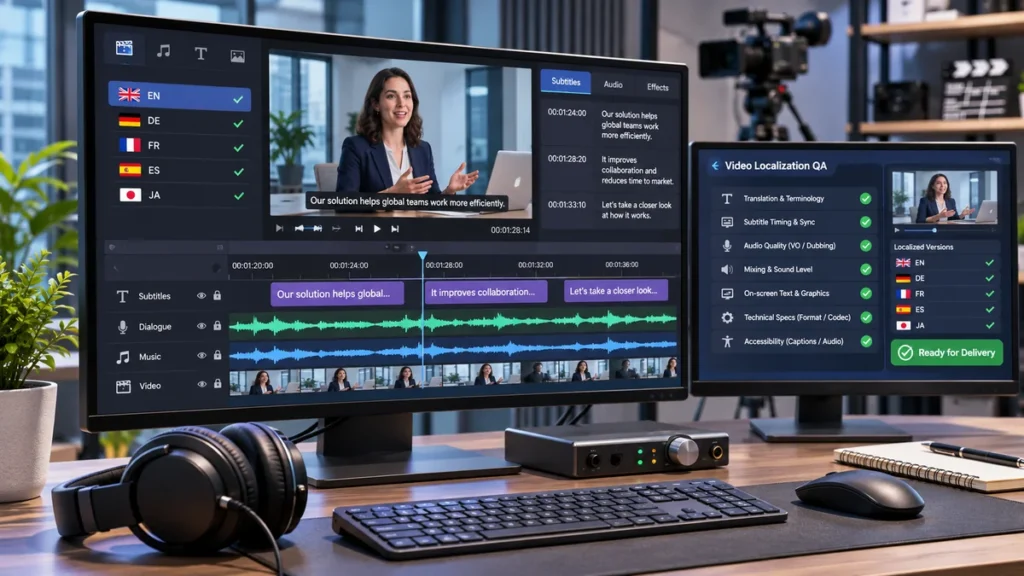
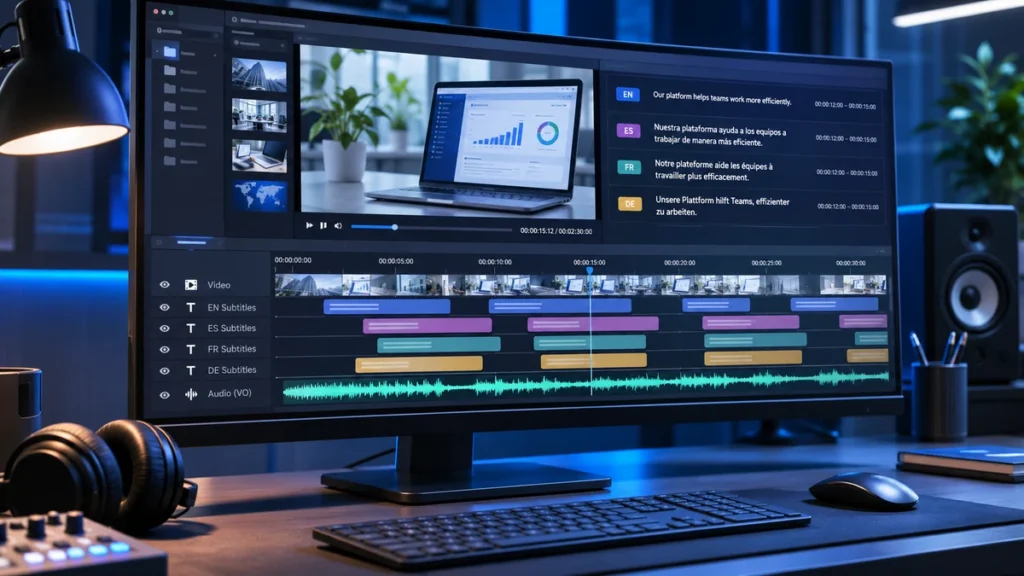
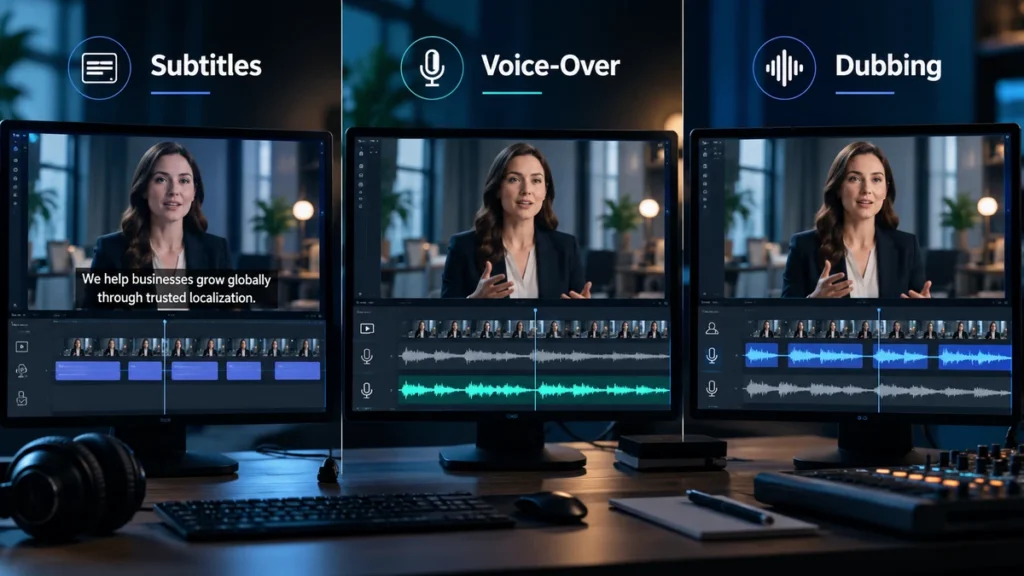
Video translation is the process of adapting the spoken and visible language in a video for an audience that uses another language. Depending on the project, the final output might be translated subtitles, a new voice-over track, dubbed dialogue, or a fully localized video with translated on-screen text, graphics, and publishing metadata.
That means a request to “translate this video” is not yet a complete project brief.
Two companies can start with the same five-minute video and require very different workflows. One may only need Spanish subtitles. Another may need Spanish narration, localized product screenshots, translated lower thirds, and a finished MP4 ready for distribution. A third may need several dubbed audio tracks that will be added to the same online video.
The right approach depends on what viewers need to understand, how they will watch the content, how important the viewing experience is, and which parts of the original video need to change.
This guide explains the main video translation options, how the production process works, what affects cost and timing, and what your team should prepare before sending a video for translation.
What Does Video Translation Actually Include?
A video contains more language than the words spoken by the presenter.
Before selecting a translation method, identify every element that communicates information to the viewer. Depending on the video, these may include:
- Dialogue between speakers
- Narration or voice-over
- Subtitles
- Captions
- Titles and headings
- Lower thirds and speaker names
- Charts and diagrams
- Animated text and motion graphics
- Product interfaces and screenshots
- Calls to action and end cards
- Video titles, descriptions, and other publishing metadata
This distinction matters because translating the audio alone may leave important information inaccessible to the target audience.
For example, imagine a software tutorial in which the narrator explains how to configure an account while the screen displays English menu labels, button names, and instructional callouts. Translating only the narration creates a partially translated experience. The viewer may understand the instructions but still be unable to match them to what appears on screen.
Video Translation vs. Video Localization
Video translation primarily focuses on transferring linguistic meaning from one language into another.
Video localization can involve a broader set of adaptations so the finished video works naturally in a particular market or locale.
| Area | Video Translation | Video Localization |
|---|---|---|
| Dialogue or narration | Usually translated | Translated and potentially adapted |
| Subtitles | Often included | Often included |
| On-screen text | May be included | Commonly reviewed and adapted |
| Graphics | Usually unchanged unless requested | May be edited or recreated |
| Screenshots/UI | Usually outside basic scope | May be localized |
| Cultural references | Translated where possible | May be adapted |
| Metadata | Optional | Often part of distribution planning |
| Final video master | Not always required | Frequently required |
For projects involving multiple media types, this work sits within the broader discipline of multimedia localization. This article concentrates specifically on translating and adapting video rather than covering multimedia localization as a whole.
Four Ways to Deliver a Video in Another Language
The most important early decision is not simply which language you need. It is what the target-language audience should receive.
There are four common approaches.
1. Translated Subtitles
With translated subtitles, the original audio remains unchanged while translated text appears on screen or is supplied as a separate timed-text track.
Typical deliverables can include:
- SRT files
- WebVTT/VTT files
- Platform-specific subtitle files
- A video with subtitles burned into the picture
W3C identifies WebVTT as a common format for web captions and also references formats such as SRT and TTML.
Subtitles are often appropriate when preserving the original speaker’s voice matters, when the audience is comfortable reading while watching, or when producing new audio would add unnecessary complexity.
Translated subtitles should not automatically be treated as the same thing as accessibility captions. Captions can include information necessary for people who cannot hear the audio, such as relevant sound cues and speaker identification.
2. Voice-Over
A translated voice-over gives viewers spoken target-language content without necessarily attempting to reproduce every visible mouth movement.
Depending on the creative approach, the new voice may replace the original narration or be mixed with the original speech at a lower level.
Voice-over is commonly useful for content such as:
- Corporate videos
- Interviews
- Product demonstrations
- Explainers
- Training material
- Documentaries
The emphasis is usually on clear delivery, appropriate pacing, terminology, pronunciation, and a natural listening experience rather than exact lip synchronization.
3. Dubbing
Dubbing replaces the original spoken dialogue with target-language speech.
Because the new dialogue must work with the timing and performance visible on screen, dubbing can require more adaptation than a conventional voice-over.
A dubbing workflow may involve:
- Dialogue adaptation
- Multiple voice actors
- Voice casting
- Performance direction
- Timing adjustments
- Synchronization
- Audio editing and mixing
Not every dubbed video requires exact lip sync. A talking-head marketing video, animated character, training video, and feature film may all require different levels of synchronization.
The synchronization requirement should therefore be agreed during project scoping instead of assuming that every dub needs the same production treatment.
4. A Fully Localized Video Version
Some projects require more than translated speech.
A localized version may combine:
- Translated or dubbed audio
- Translated subtitles or captions
- Localized titles and lower thirds
- Translated diagrams
- Recreated motion graphics
- Localized software screenshots
- Market-specific end cards
- Translated publishing metadata
- A newly rendered final video
This is not simply “better dubbing.” It is a wider production scope designed to make the entire video—not only its audio—work for the target audience.
Why the Transcript Usually Comes First
For most video translation projects, the source text becomes the foundation for everything that follows.
The workflow is usually:
Spoken audio → verified source text → translation → target-language production
A reliable transcript helps translators correctly handle:
- Personal and company names
- Product terminology
- Numbers and measurements
- Technical terms
- Acronyms
- Speaker changes
- Unclear pronunciation
- Overlapping dialogue
An error introduced at the transcription stage can otherwise travel through the rest of the project. A product name misheard in the source audio could be mistranslated in the subtitles and then recorded incorrectly by a voice actor.
However, transcription is not always a new task.
If you already have a final script that accurately matches the locked video, the project may start by checking that script against the finished audio instead. W3C similarly notes that when a script already exists, it may only require editing so that it accurately reflects the final recording.
The important requirement is therefore not “always transcribe everything.”
It is:
Establish an accurate source-language record before translating downstream assets.
From Source Video to Final Delivery: The Video Translation Process
A professional workflow usually contains eight stages.
1. Define the Audience and Deliverables
Start with the target audience rather than the translation technology.
Confirm:
- Target languages and locales
- Where the video will be published
- Whether subtitles, voice-over, dubbing, or a localized master are required
- Whether captions or other accessibility deliverables are required
- Required file formats
- Who will review the content
“French” may not be enough information if terminology and audience expectations differ by target market. Where technical language identifiers are required, BCP 47 language tags can identify language and, where justified, additional information such as region or script.
2. Review the Source Assets
Before translation begins, review what actually exists.
That can include:
- The final video
- Source-language scripts
- Subtitle files
- Audio stems
- Music and effects tracks
- Editable video projects
- Design assets
- Graphics
- Terminology resources
This stage often reveals scope that was invisible in the initial request.
A five-minute video containing dozens of animated text elements can require substantially different production work from a five-minute presenter video with no on-screen text.
3. Create or Verify the Transcript
The transcript establishes the source-language content that will be translated.
Speaker labels, terminology, proper nouns, numbers, and ambiguous passages should be checked before translation whenever possible.
Poor audio may require additional review, especially when speakers overlap, use specialist terminology, or speak over background noise.
4. Time and Segment the Content
Video translation is constrained by time.
For subtitles, text must be divided into readable cues that correspond sensibly to the audio and visual sequence. For voice production, translated speech must fit the available time without sounding unnaturally compressed or slow.
Segmentation should consider:
- Sentence meaning
- Natural phrase boundaries
- Shot changes
- Speaker changes
- Reading time
- Available speaking time
There is no single subtitle character count or reading-speed number that should be presented as a universal rule for every language and platform.
Platform requirements vary. Netflix’s timed-text guidance, for example, contains platform-specific rules covering synchronization with audio, shot changes, cue duration, and reading behavior. These are useful examples of professional subtitling constraints, but they should not be treated as universal industry rules.
5. Translate and Adapt for the Output
A subtitle is not simply a voice-over script placed at the bottom of the screen.
Each output has different constraints.
Subtitle translators may need to condense content while preserving meaning.
Voice-over scripts must sound natural when spoken aloud.
Dubbing scripts may require further adaptation so dialogue fits a specific time window or performance.
The translation workflow should therefore be designed around the final medium from the beginning.
6. Produce the Target-Language Assets
Production now branches according to the selected deliverable:
- Subtitles are timed and formatted
- Voice-over is recorded and edited
- Dubbed dialogue is cast, recorded, synchronized, and mixed
- Graphics are translated or rebuilt
- Localized video versions are rendered
7. Perform Linguistic and Technical QA
Review should include more than a bilingual document.
The finished content needs to be checked in its intended context: against the picture, audio, timing, graphics, and distribution requirements.
8. Export and Deliver
Before delivery, confirm:
- Language/locale
- Version number
- Filenames
- Subtitle format
- Audio format
- Video format
- Platform requirements
For online platforms, delivery may also involve separate target-language assets rather than a completely separate video file.
For example, YouTube currently supports additional language audio tracks on a single video, as well as translated titles and descriptions.

How the Workflow Changes for Subtitles, Voice-Over, and Dubbing
The same source video can lead to very different production workflows.
Subtitle Translation Workflow
A typical subtitle workflow is:
- Create or verify the transcript.
- Translate the dialogue.
- Condense text where necessary.
- Divide the translation into subtitle cues.
- Assign or adjust timing.
- Review line breaks and segmentation.
- Check positioning where relevant.
- Play the subtitles with the video.
- Export the required timed-text format.
Timed text is a technical asset, not simply a translated document.
WebVTT, for example, organizes text into time-aligned cues with defined start and end timestamps and supports features related to cue positioning and alignment.
That is why sending a translator a Word document and copying the translation back into subtitle boxes later is not always the most efficient workflow.
Voice-Over Workflow
A typical translated voice-over project may involve:
- Transcript verification.
- Script translation and adaptation.
- Terminology and pronunciation review.
- Voice selection.
- Recording.
- Pacing adjustments.
- Audio editing.
- Mixing with music and effects.
- Playback review.
Pronunciation guidance is particularly valuable for:
- Brand names
- People’s names
- Technical products
- Abbreviations
- Locations
- Words that intentionally remain untranslated
Dubbing Workflow
Dubbing adds further production decisions.
A typical workflow can include:
- Dialogue segmentation.
- Translation.
- Dubbing adaptation.
- Voice casting.
- Pronunciation preparation.
- Recording and performance direction.
- Synchronization.
- Audio editing.
- Mixing.
- Full playback QA.
The level of synchronization should reflect the content.
A presenter explaining an industrial product may not need the same treatment as an advertisement built around close-up dialogue. Defining this requirement early prevents paying for production complexity that does not improve the intended viewer experience.
On-Screen Text and Why Editable Source Files Matter
One of the most commonly overlooked parts of video localization is text that is embedded visually in the video.
Examples include:
- Opening titles
- Speaker names
- Lower thirds
- Diagrams
- Product specifications
- Animated callouts
- Charts
- UI screenshots
- Subtitles burned into the picture
- End cards
If these elements exist as editable text layers, localization is usually easier to manage.
If they have already been flattened into a finished video, recreating them may require additional design, masking, animation, or video-editing work.
Whenever available, provide assets such as:
- Adobe Premiere project files
- After Effects projects
- Editable design files
- Original screenshots
- Linked images
- Clean masters without burned-in subtitles or text
- Fonts where licensing allows them to be transferred
Editable assets matter even when the translation itself is short. Target-language text can become longer or shorter than the source, and scripts such as Arabic may introduce different layout and direction requirements.
A technically correct translation can still produce a poor localized video if the visual layout cannot accommodate it.
What Drives Video Translation Cost?
There is no useful universal “video translation price per minute” that applies to every project.
A ten-minute video requiring one subtitle file is fundamentally different from a ten-minute video with six speakers, recreated graphics, professional voice casting, and lip-synchronized dubbing.
The main cost drivers usually include:
- Runtime: Longer videos normally contain more material to process.
- Amount of speech: Two videos of equal length may contain very different word volumes.
- Number of languages: Each target language introduces translation, production, and review work.
- Number of speakers: Especially important for dubbing and voice casting.
- Audio quality: Unclear audio can complicate transcription.
- Specialist content: Technical, medical, legal, or industry terminology may require additional expertise.
- Output type: Subtitles, voice-over, dubbing, and full localization involve different production steps.
- Voice requirements: Professional casting and recording add production scope.
- Lip synchronization: Tighter synchronization generally requires more adaptation and production work.
- Graphics: Translated visual content can require design and video editing.
- Source-file availability: Editable assets can simplify visual localization.
- File formats: Multiple platform-specific deliverables require additional preparation and QA.
- Review rounds: Multiple stakeholder revisions affect project management and production.
This is why quotations should be based on the actual media and required outputs rather than runtime alone.
A dedicated video translation cost guide should cover detailed budgeting methods, price models, and sample scenarios separately so this article can stay focused on project planning.
What Determines the Timeline?
Project duration is also driven by more than video length.
Important factors include:
- Number of target languages
- Whether languages can be produced in parallel
- Transcript quality
- Audio clarity
- Specialist terminology
- Voice casting
- Number of speakers
- Client voice approvals
- Synchronization requirements
- Graphic localization
- Reviewer availability
- Revision rounds
- Final rendering
- Required file formats
Late changes to the source video can be especially disruptive.
If the source edit changes after subtitles have been timed or audio has been recorded, previously completed work may need to be retimed, rerecorded, or rebuilt.
For this reason, whenever possible, localization should begin from a locked or clearly version-controlled source video.
How to Choose Between Subtitles, Voice-Over, Dubbing, and Full Localization
There is no single best format for every video.
A better decision starts with the audience and the purpose of the content.
Does the Audience Need to Listen Rather Than Read?
Subtitles can work well when viewers can comfortably watch and read simultaneously.
But translated audio may be more appropriate when viewers need to concentrate on demonstrations, slides, machinery, interfaces, or other visual information.
Is the Speaker Visibly Talking on Camera?
If viewers spend significant time watching a speaker’s face, mismatched speech and mouth movement may become more noticeable.
That does not automatically mean full lip-sync dubbing is required, but synchronization deserves more consideration than it would for slides or screen recordings.
Is the Original Performance Important?
For interviews, executive statements, documentaries, or testimonials, preserving the original speaker may be valuable.
Subtitles or certain voice-over treatments can retain more of that original performance than fully replacing it.
Does Important Information Appear in the Visuals?
If diagrams, titles, charts, interfaces, or animations carry important meaning, subtitles or translated audio alone may not be enough.
The project may need a localized video version.
How Often Will the Video Change?
Frequently updated tutorials, product demos, and training libraries benefit from workflows that make future revisions manageable.
Keeping transcripts, subtitle files, editable graphics, and separate audio assets can make updates easier than repeatedly rebuilding a flattened final video.
How Important Is the Target-Market Experience?
A short internal informational video and a flagship product launch may justify different levels of production.
The more commercially important, customer-facing, regulated, or brand-sensitive the content is, the more attention should be paid to terminology, performance, graphics, localization, and final QA.
A separate subtitles vs. dubbing vs. voice-over comparison should handle the deeper format-by-format decision analysis.
What Should You Prepare Before Sending a Video for Translation?
A well-prepared source package reduces unnecessary questions and helps the language team scope the project correctly.
Before handoff, collect as many of the following as are available.
Source Content
- Final source video
- Final source-language script
- Existing transcript
- Existing SRT, VTT, or caption files
- Clean audio tracks or audio stems
Editable Assets
- Video-editing project files
- Motion-graphics files
- Original images
- Editable charts
- Product screenshots
- Clean video master without burned-in text
Language Information
- Required target languages
- Required target locales
- Approved terminology
- Product names
- Glossary
- Names of people and places
- Pronunciation guidance
Specifying the locale can matter. “Spanish,” for example, may not fully describe the intended audience when the content is being produced specifically for Spain, Mexico, or another market.
Where formal identifiers are needed in technical systems, use valid language tags rather than creating internal codes that may be ambiguous. BCP 47 provides the standard language-tag framework commonly used for this purpose.
Production Requirements
Specify whether you need:
- Translated subtitles
- Captions
- Voice-over
- Dubbing
- Lip synchronization
- Translated on-screen text
- Localized graphics
- A final rendered video
- Separate audio tracks
- Multiple output formats
Distribution Requirements
Tell the localization team where the content will be used:
- Website
- YouTube
- LMS
- Social media
- Mobile application
- Sales presentation
- Trade-show display
- Internal platform
Distribution matters because different environments can require different file types and delivery structures.
For example, YouTube currently allows eligible creators to add multiple language audio tracks to a single video and supports translated video titles and descriptions.
Five Quality Checks Before Final Delivery
A translation can be linguistically correct and still fail as a finished video.
Professional QA should therefore cover several layers.
1. Linguistic QA
Check:
- Meaning
- Terminology
- Omissions
- Additions
- Names
- Numbers
- Grammar
- Tone
- Consistency
- Locale appropriateness
Special attention should be paid to text that appears in more than one place. A product feature should not have one translation in the narration, another in the subtitles, and a third in the on-screen interface.
2. Timing QA
For subtitles, check:
- Cue timing
- Speaker changes
- Segmentation
- Line breaks
- Readability
- Relationship to shot changes
For recorded audio, review:
- Pacing
- Pauses
- Synchronization
- Whether speech has been unnaturally compressed to fit
3. Audio QA
Check:
- Pronunciation
- Correct voice assignment
- Recording defects
- Cuts
- Unwanted noise
- Volume consistency
- Music/effects balance
- Synchronization
4. Visual QA
Review:
- Translated titles
- Subtitles
- Lower thirds
- Text overflow
- Cropped text
- Fonts
- Graphics
- Screenshots
- Right-to-left rendering where relevant
- Subtitle position
ISO/IEC TS 20071-25:2017 addresses the presentation of captions, subtitles, and other on-screen text in video accessibility contexts.
5. Final Playback QA
Finally, watch the exported deliverable from beginning to end.
Confirm:
- The correct target language is present
- No segments are missing
- Subtitle and audio tracks are correct
- Graphics appear as intended
- Audio remains synchronized
- Encoding works
- Filenames and versions are correct
- The file plays correctly in the intended environment
This final step matters because some problems only become visible after individual translated assets have been assembled into the finished video.
Video Translation Project Checklist
Before starting your next project, use this checklist to confirm the scope.
Audience
- Target market is defined.
- Target language and locale are confirmed.
- Distribution platform is known.
- Accessibility requirements are identified.
Source
- Final video is locked or version-controlled.
- Script or transcript is available.
- Existing subtitles or captions have been collected.
- Speakers are identified.
- Product terminology has been reviewed.
Output
- Subtitles, voice-over, dubbing, or full localization has been selected.
- Caption requirements are confirmed.
- On-screen text is included or excluded explicitly.
- Graphics and screenshots have been scoped.
- Publishing metadata requirements are confirmed.
Production
- Editable video and graphics files have been collected where available.
- Voice requirements are agreed.
- Synchronization level is defined.
- Target file formats are confirmed.
- Pronunciation guidance is available.
Review
- Target-language reviewer is assigned.
- Voice approval responsibility is assigned where relevant.
- Revision process is agreed.
- Final playback QA is included.
Delivery
- File-naming convention is defined.
- Target-language versions are clearly identified.
- Required subtitle, audio, and video formats are specified.
- Final publishing destination is confirmed.
When Does a Video Project Need a Professional Localization Team?
Simple videos can sometimes be handled with a straightforward translation and subtitle workflow.
Project management becomes more important when a video involves several languages, multiple speakers, professional voice talent, specialist terminology, dubbing, synchronization, extensive on-screen graphics, several delivery formats, or multiple regional reviewers.
AI can also form part of modern video workflows. Current systems can combine speech transcription, translation, generated voices, subtitles, and human review, and some publishing platforms also provide automated dubbing features.
For business-critical content, the main question is therefore not simply whether a video can be translated automatically.
It is whether the chosen workflow produces the terminology, voice, timing, visual treatment, file structure, and final viewing experience the project requires.
For projects involving multiple languages, voice production, subtitles, and visual localization, a managed multimedia localization workflow can reduce handoffs and help keep every target-language version aligned.
FAQ
What is video translation?
Video translation adapts the spoken and/or visible language in a video for another language audience. Depending on the project, the deliverables may include translated subtitles, voice-over, dubbed audio, localized graphics, or a completely localized video master.
What is the difference between video translation and video localization?
Translation primarily transfers linguistic meaning. Video localization has a broader scope and may also adapt on-screen text, graphics, screenshots, terminology, cultural references, metadata, and other elements so the complete video works appropriately for a particular audience or market.
How do you translate a video into English?
The usual workflow is to create or verify the source transcript, translate the content into English, adapt it to the chosen output, and then produce subtitles, voice-over, dubbing, or a localized video. The final deliverable should then undergo linguistic and technical playback QA.
Do you need a transcript before translating a video?
You need an accurate source-language record, but that does not always require new transcription. If an existing script accurately matches the final video, it can be verified and used as the translation source. Otherwise, the spoken content normally needs to be transcribed first.
What is the difference between voice-over and dubbing?
Voice-over prioritizes understandable target-language speech without necessarily matching every visible mouth movement. Dubbing replaces original dialogue and generally requires greater attention to performance and synchronization. The exact production approach depends on the type of video and required viewing experience.
Does video translation include on-screen text?
It can, but this should be specified in the project scope. Titles, graphics, lower thirds, charts, software interfaces, and other visual text may require separate translation and video-editing work. If only subtitles or audio are ordered, those elements may otherwise remain in the source language.
How much does video translation cost?
Cost depends on factors such as runtime, word volume, language, speaker count, output type, voice casting, dubbing, synchronization, graphics, source-file availability, delivery formats, and review requirements. A subtitle-only project and a fully dubbed localized master should not be budgeted using the same production model.
How long does video translation take?
Timeline depends on more than video duration. Language count, transcript quality, number of speakers, voice casting, synchronization, graphic localization, reviewer availability, revisions, rendering, and delivery formats can all influence scheduling.
What files should I provide?
Ideally provide the final video, script or transcript, existing subtitle files, terminology resources, audio stems where available, editable graphics or video project files, required target languages and locales, output specifications, and details of the publishing platform.
Can AI be used for video translation and dubbing?
Yes. Current tools can combine automatic speech recognition, translation, generated voices, subtitles, and in some cases automated dubbing. However, supported languages, editing controls, output quality, data policies, and platform features change over time. Business-critical projects should therefore evaluate AI based on the specific content, language pair, risk level, and required quality.